NuGet Package Ultimate
The Babel Obfuscator NuGet packages let you run Babel on any build machine or CI server that has the .NET SDK, on Windows, Linux and macOS, without installing the product.
Babel Obfuscator ships two NuGet packages. Both come with the Ultimate edition and with the Babel Licensing site editions (Server and Data Center), and neither is published on nuget.org: you receive them with the product and host them on a private feed or in a local folder, as described in Package Setup.
| Package | What it provides |
|---|---|
Babel.Obfuscator | Build integration. Referencing the package adds the Babel MSBuild task to the project and runs it at the right point of the build, so dotnet build, dotnet publish and Visual Studio produce obfuscated output. Most of this section is about this package. |
Babel.Obfuscator.Tool | The babel command line packaged as a dotnet tool, for scripted obfuscation outside the build. See Babel Obfuscator Tool. |
Why the Package Instead of the Babel Task
You can always add the Babel task to a project by hand. The package does that for you, and it also solves a problem that is hard to solve by hand in SDK-style projects: the .NET SDK runs several IL-level steps after compilation (dependency resolution, trimming, single-file bundling, ahead-of-time compilation), and obfuscation must happen before all of them. The package inserts the Babel task right after the compiler, on the assembly in the intermediate obj folder, so every later step of the build works on the obfuscated assembly. See Build Pipeline.
Beyond placement, the package:
- Ships the Babel build tools for every supported MSBuild host, that is .NET Framework MSBuild, Mono, and the .NET SDK from 6.0 to 10.0, and picks the right one automatically.
- Configures the Babel task from what the project already knows: assembly search directories from the project references, the strong-name key, debug symbols, the rules file and the license file.
- Skips design-time builds in Visual Studio and incremental builds where the compiler did not run, keeping the IDE responsive.
- Keeps
dotnet publishconsistent when assemblies are merged or embedded, by updating the.deps.jsonfile and the set of published files.
Requirements
- A .NET SDK from 6.0 to 10.0, Visual Studio 2022 or later, or Mono MSBuild. .NET Framework projects built with
MSBuild.exeare supported as well. - A valid license: a
babel.licensesfile or a license key (see Activating the License). Without a license the package runs in evaluation mode and the obfuscated assemblies stop working after a short period. - The package hosted on a NuGet feed your build can reach (see Install).
Quick Start
Add the package
Add the Babel.Obfuscator package to your feed, or to a local folder registered as a package source.
Reference the package
Reference the package from the project to obfuscate:
<ItemGroup>
  <PackageReference Include="Babel.Obfuscator" Version="12.0.0">
    <PrivateAssets>all</PrivateAssets>
    <IncludeAssets>runtime; build; native; contentfiles; analyzers; buildtransitive</IncludeAssets>
  </PackageReference>
</ItemGroup>
Provide the license
Copy babel.licenses into the solution folder, or set the BabelLicense property.
Configure obfuscation
Add the obfuscation settings you want as MSBuild properties, for example:
<PropertyGroup Condition="'$(Configuration)' == 'Release'">
  <StringEncryption>stream</StringEncryption>
  <ControlFlowObfuscation>if=on;switch=on;call=on</ControlFlowObfuscation>
  <ResourceEncryption>true</ResourceEncryption>
</PropertyGroup>
Build
Build. The Babel log appears in the build output and the output assembly is obfuscated.
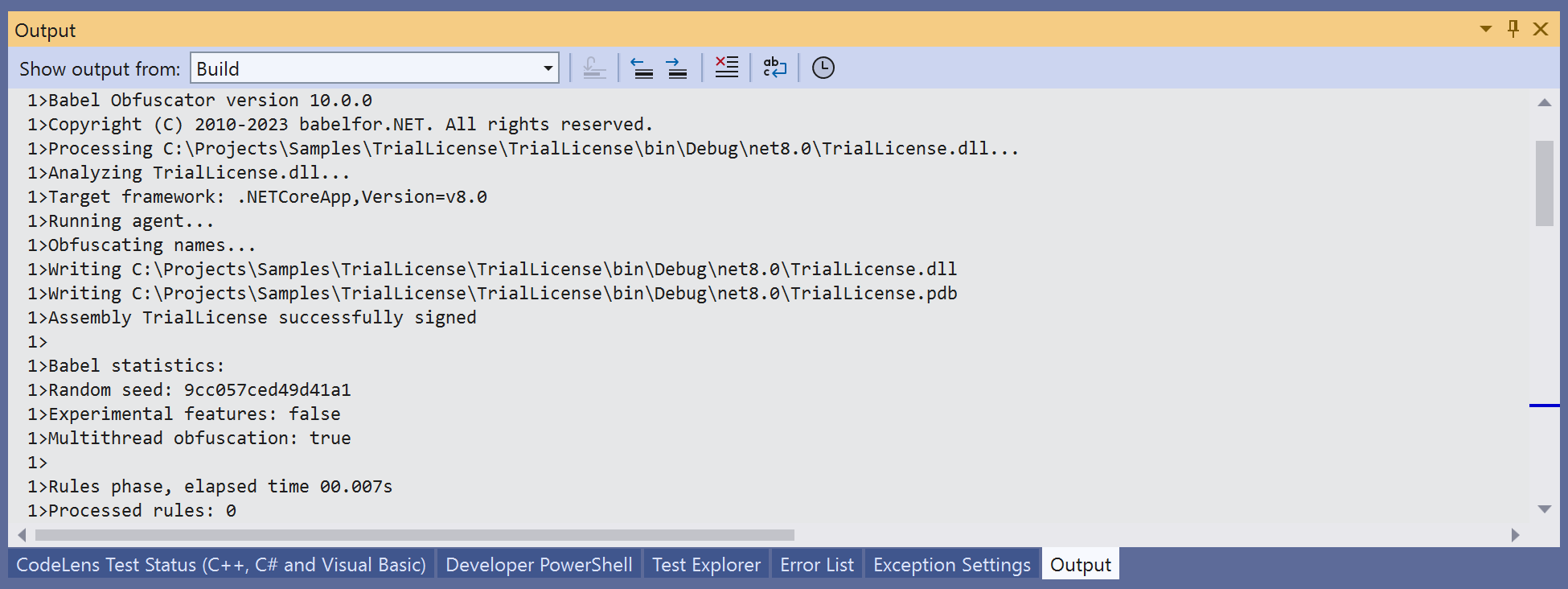
Babel Obfuscator Visual Studio Output
In This Section
- Package Setup — hosting the package, adding the reference, activating the license and verifying the first build.
- Configuring Obfuscation — the MSBuild properties and items that drive every Babel feature, including the settings introduced in version 12.
- Build Pipeline — where obfuscation runs, how to move it, the targets you can extend, publishing, and how the build tools are selected.
- Babel Obfuscator Tool — the
babelcommand line as a dotnet tool. - Package Reference — every property, item and target defined by the package, and the mapping to the Babel task attributes.
Examples
The following examples in the manual use the Babel Obfuscator NuGet package.
Obfuscate a .NET for Android app with the package and custom rules.
Protect a MAUI app and choose the right linker mode for iOS.
Cross-assembly renaming and publishing with the BeforeObfuscate target.
Install the package from GitHub Packages and pass the license as a secret.
Run unit tests against obfuscated assemblies using map files.
Obfuscate a ClickOnce application.
Protect the Razor pages of a Blazor application with rules.
Set up the package on an Azure Pipelines build.
Deploy the package on an AppVeyor build.