Languages
The Babel Desktop interface is available in English, Italian, French, German, Spanish and Japanese, and more languages can be added with language packages.
Changing the Language
Open the Appearance settings
Open Settings (Ctrl+, on Windows and Linux, Cmd+, on macOS) and choose Appearance.
Choose the interface language
Select the language in Interface language. The interface is available in English, Italian, French, German, Spanish and Japanese.
Keep working
The change takes effect right away, with no restart. Open views, form values, unsaved project changes and running jobs are kept.
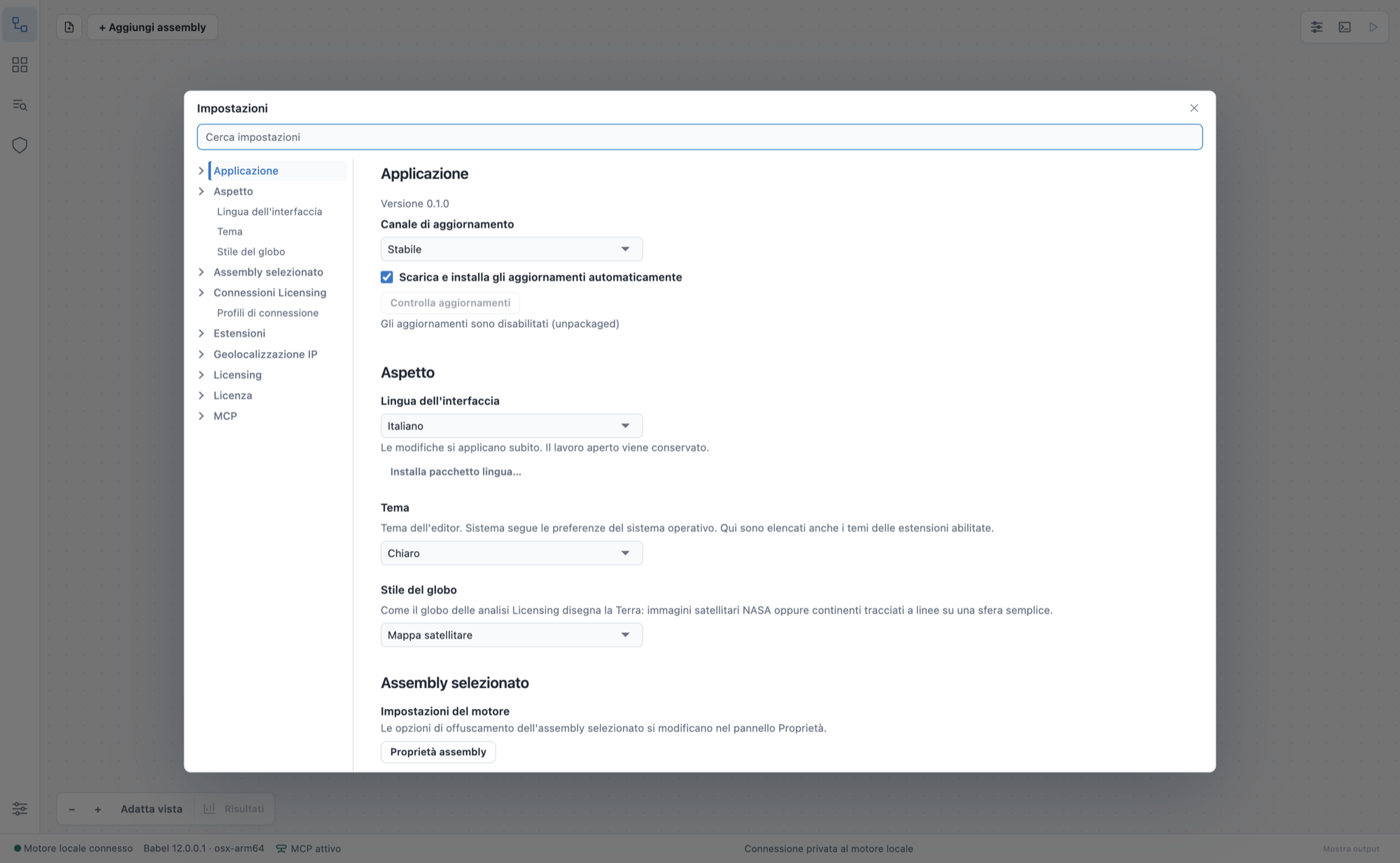
The interface in Italian
Only the interface is translated. Engine option names, engine log messages, source code and the records in your licensing database stay as they are.
Language Packages
To add another language, install a language package: a single UTF-8 JSON file, no larger than 2 MB, that maps each English interface text to its translation.
Write the package
{
  "schemaVersion": 1,
  "locale": "fr",
  "name": "Français",
  "version": "1.0.0",
  "strings": {
    "Save": "Enregistrer",
    "Open {p0}": "Ouvrir {p0}"
  },
  "sha256": "<SHA-256 of JSON.stringify(strings)>"
}
Follow the package rules
localeis a BCP 47 language tag andversiona three-part version.- Every placeholder of the English text, such as
{p0}, must be kept in the translation. sha256is the hexadecimal SHA-256 hash of thestringsobject serialized withJSON.stringify, used to detect a corrupted file. In Node.js:createHash('sha256').update(JSON.stringify(pkg.strings)).digest('hex').
Install the package
Choose Settings > Appearance > Install language package… and select the file.
Texts a package does not translate appear in English, and entries for texts the application no longer uses are ignored. A package therefore keeps working after application updates. Settings > Appearance shows how many texts of the current version a package covers. A package cannot replace English, run scripts or download resources.
Extension Translations
Extensions can carry their own translations. A .babelext package can include locales/<language>.json files for the texts in its manifest and translated README.<locale>.md descriptions. Babel Desktop uses them when the interface is set to that language.