Obfuscation Projects
An obfuscation project collects the assemblies to protect, their dependencies and the settings of each one. Babel Desktop shows it as a graph on a canvas and runs it with the Babel Obfuscator engine.
Babel Desktop saves projects as .babel files, the MSBuild project format the MSBuild task uses. You can build a project saved in the desktop with MSBuild, and open an existing .babel project in the desktop.
From version 12.1.1, a project saved on a machine where the MSBuild task is installed loads the task from the file of that installation, and a project that still names the task by assembly name and version is converted when you save it. See MSBuild Task.
Creating a Project
Add the assemblies
Click Add assemblies on the start screen or + Add Assembly on the canvas toolbar (Ctrl+Shift+A, Cmd+Shift+A on macOS), or drag .NET assemblies from the file manager onto the canvas. Each assembly becomes a primary target: a node on the canvas that the engine obfuscates.
Connect the dependencies
Add the assemblies that are merged into, embedded in or referenced by a target, as described in Dependencies.
Configure each target
Select a node and open the properties panel to edit its settings and XML rules. See Target Settings.
Save and run
Save the project with File > Save (Ctrl+S, Cmd+S on macOS), then click Run project (Ctrl+Enter, Cmd+Enter on macOS). Save writes the open .babel file and asks for a file name only for a new project. To save a copy under another name, use File > Save As… (Ctrl+Shift+S, Cmd+Shift+S on macOS).
To start over, use Project: New (Ctrl+N) or the New project button on the canvas. Project: Open Recent… in the command palette reopens a recent project, and the Open Project dialog starts in the folder of the last project you opened. If the current project has unsaved changes, Babel Desktop asks whether to discard them before it creates or opens another one. Wait for a running job to finish first.
The Project Canvas
The canvas shows each assembly as a node. Drag the background, scroll the wheel or swipe with two fingers to pan. Pinch, or hold Ctrl (Cmd on macOS) while you scroll, to zoom around the pointer. The zoom buttons and Fit view frame the graph. Drag nodes to arrange them, or let View > Auto Layout Graph (Ctrl+Shift+L, Cmd+Shift+L on macOS) place the targets from left to right in run order, with the dependencies of each target stacked on its left. Node positions are saved in the project file.
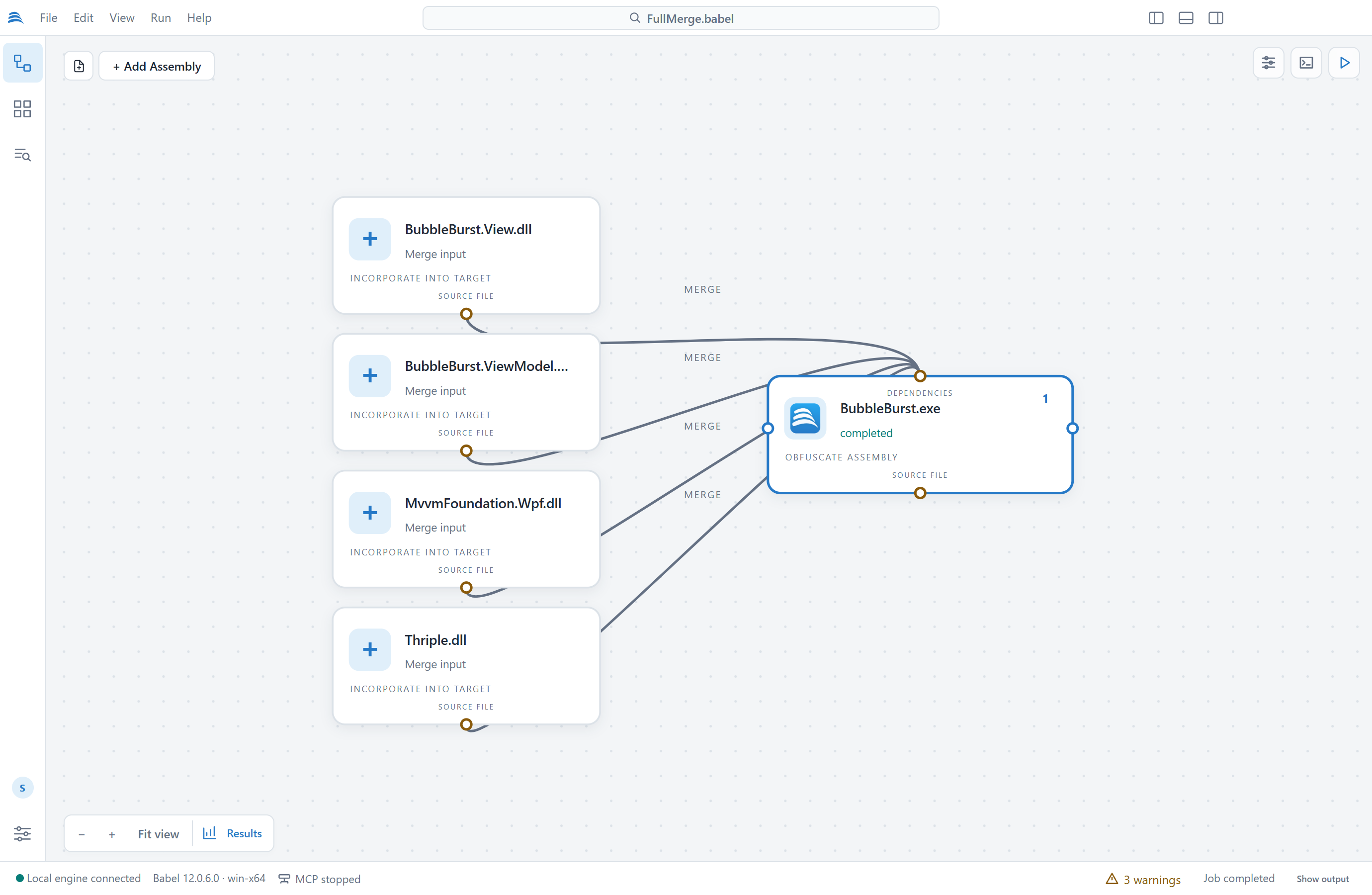
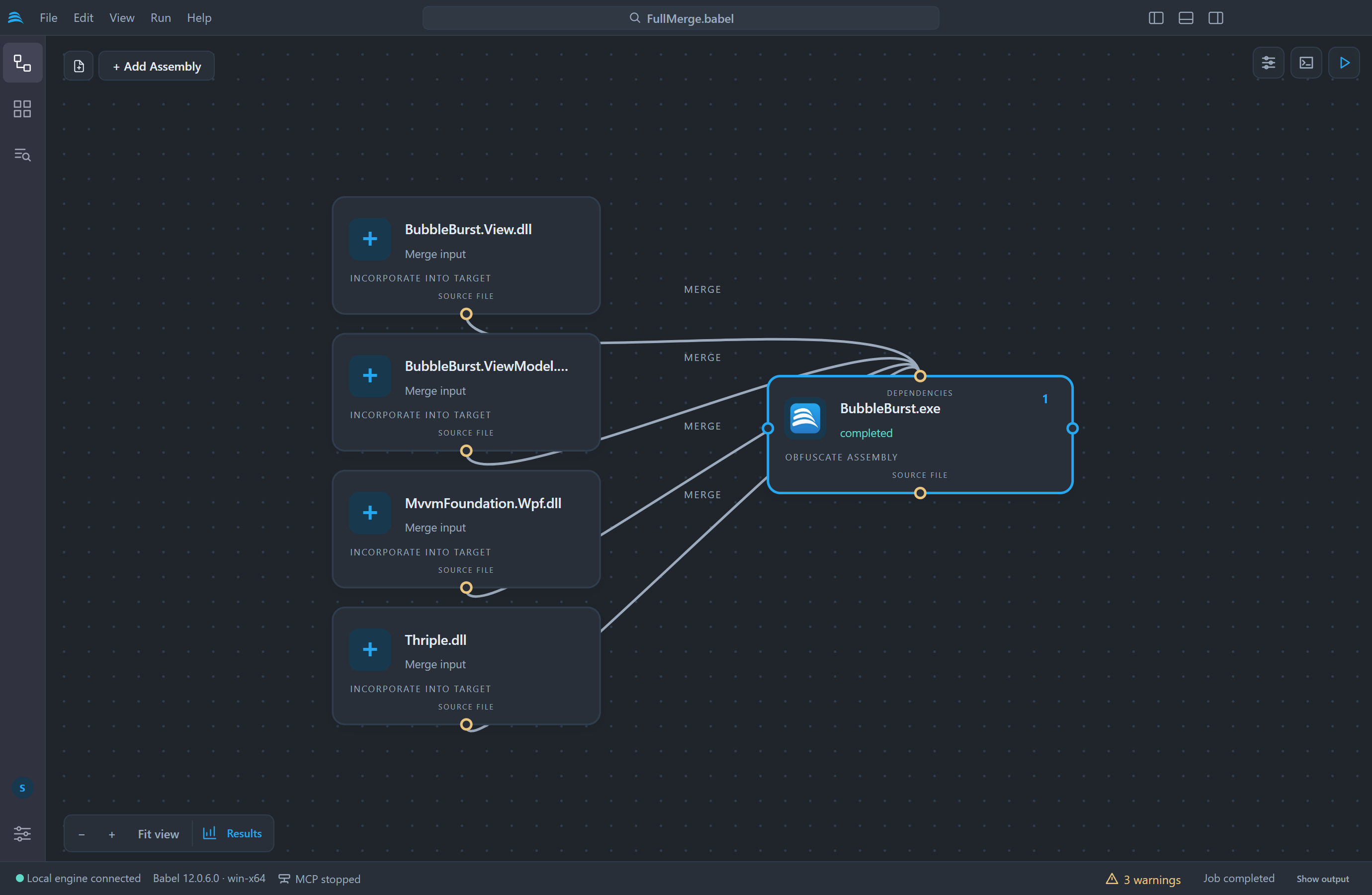
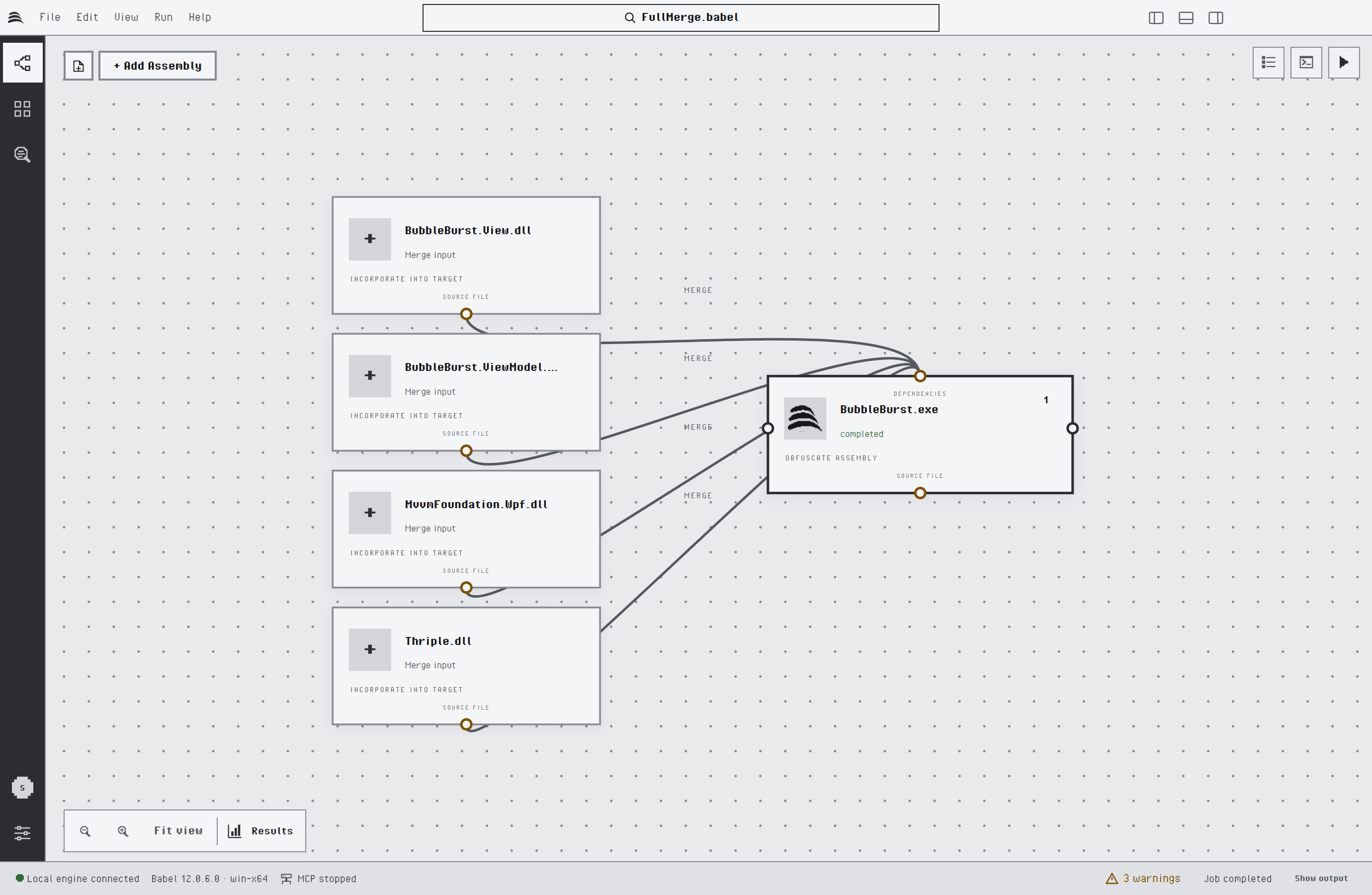
A primary target with four merged assemblies
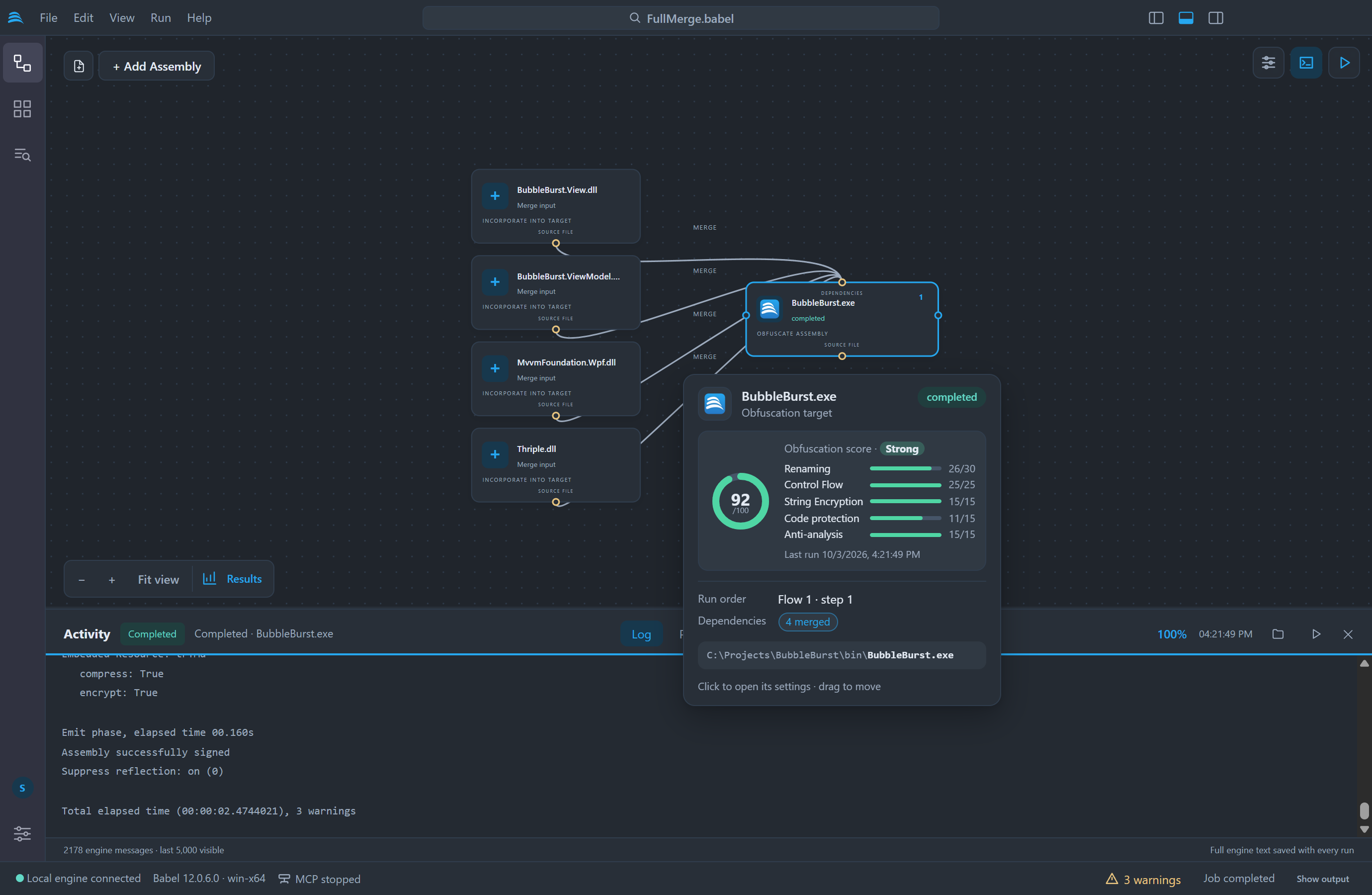
Rest the pointer on a node for half a second, or move to it with the keyboard, to open its card. The card of a primary target shows its state, its run order, how many assemblies it merges, embeds and references, its map links and the path of the input file. After a run it also shows the obfuscation score.
Dependencies
The top and bottom anchors of a node connect dependencies. Drag from the bottom anchor of the source assembly to the top anchor of the target, or click the two anchors one after the other. A new dependency gets one of three types:
| Type | Effect |
|---|---|
| Merge | The source assembly is merged into the target and obfuscated with it, producing a single output assembly. See Assembly Merging. |
| Embed | The source assembly is stored as a resource of the target and loaded at run time. See Assembly Embedding. |
| Reference | The source assembly is only used to resolve references of the target. |
Babel Desktop picks the type for you. If the target references the exact identity of the source assembly (name, version, culture and public key token), the new dependency is a Merge; if not, it is a Reference. To change the type, click the dependency line and choose Merge, Embed or Reference in the popover, then click Apply. The Assembly: Add dependency automatically… command and the Assembly: Add merge input…, Assembly: Add embedded assembly… and Assembly: Add reference… commands in the command palette add dependencies from a file picker.
An assembly used as a Merge input stays on the canvas but is not obfuscated separately, because it becomes part of its destination.
Execution Order and Map Files
The left and right anchors connect two targets so that one runs before the other. Drag from the right anchor of the first target to the left anchor of the second. Babel Desktop then asks what the connection is for:
| Choice | Effect |
|---|---|
| Execution order only | A flow edge: target A runs before target B. Nothing passes from A to B. |
| Pass the map file | A map link, drawn with a MAP label: A writes its XML rename map and B reads it, so B uses the new names of the public symbols of A. A runs before B. See Cross Assembly Renaming. |
A map link turns on Generate Map Out File for the first target and adds its map to the Map In Files of the second. If the first target sets neither an output path nor a map path, its map goes to a fixed place next to its input, for example BabelOut/Library2.dll.map.xml, so the second target always finds it. Map links are not stored separately: Babel Desktop reads them from those two settings, so a project written by hand or with Babel UI shows its map links as well.
Each node shows its step, the position at which it runs in its flow. A flow is a group of targets tied together by flow edges, map links or merge, embed and reference dependencies. Targets that are not tied to each other form separate flows. Within a flow, targets run in the order of the steps, and in project order where nothing decides it. Flow edges are saved in the project as standard MSBuild target dependencies.
Babel Desktop rejects self-links and duplicate edges, and it refuses a connection that would make targets wait for each other. If the targets of a project opened from disk wait for each other’s map files, the project still opens. Babel Desktop shows an error that names the circle, for example Library1.dll → Library2.dll → Library1.dll, and the project does not run until you remove one link. To remove an edge or a map link, click it and press Delete or Backspace; Esc cancels a connection in progress or clears the selection.
Replacing an Input
To point a target at a new build of its assembly without losing its settings, select the node and run Assembly: Replace input and keep settings… from the command palette. Assembly: Remove selected target removes a target and its edges.
Setup Commands
Three commands in the command palette configure a project in one step. Add the assemblies first, then run the command that fits the application.
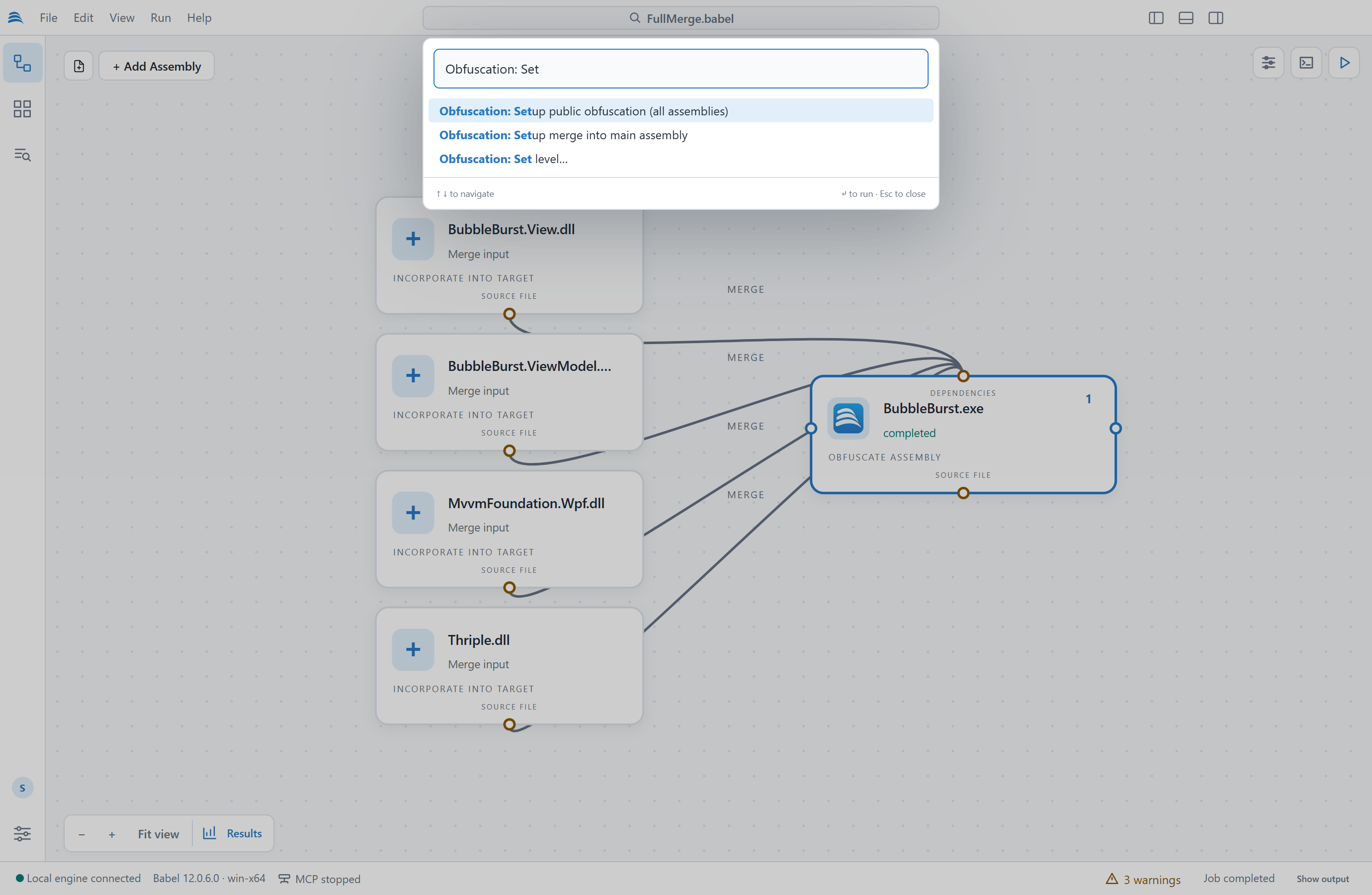
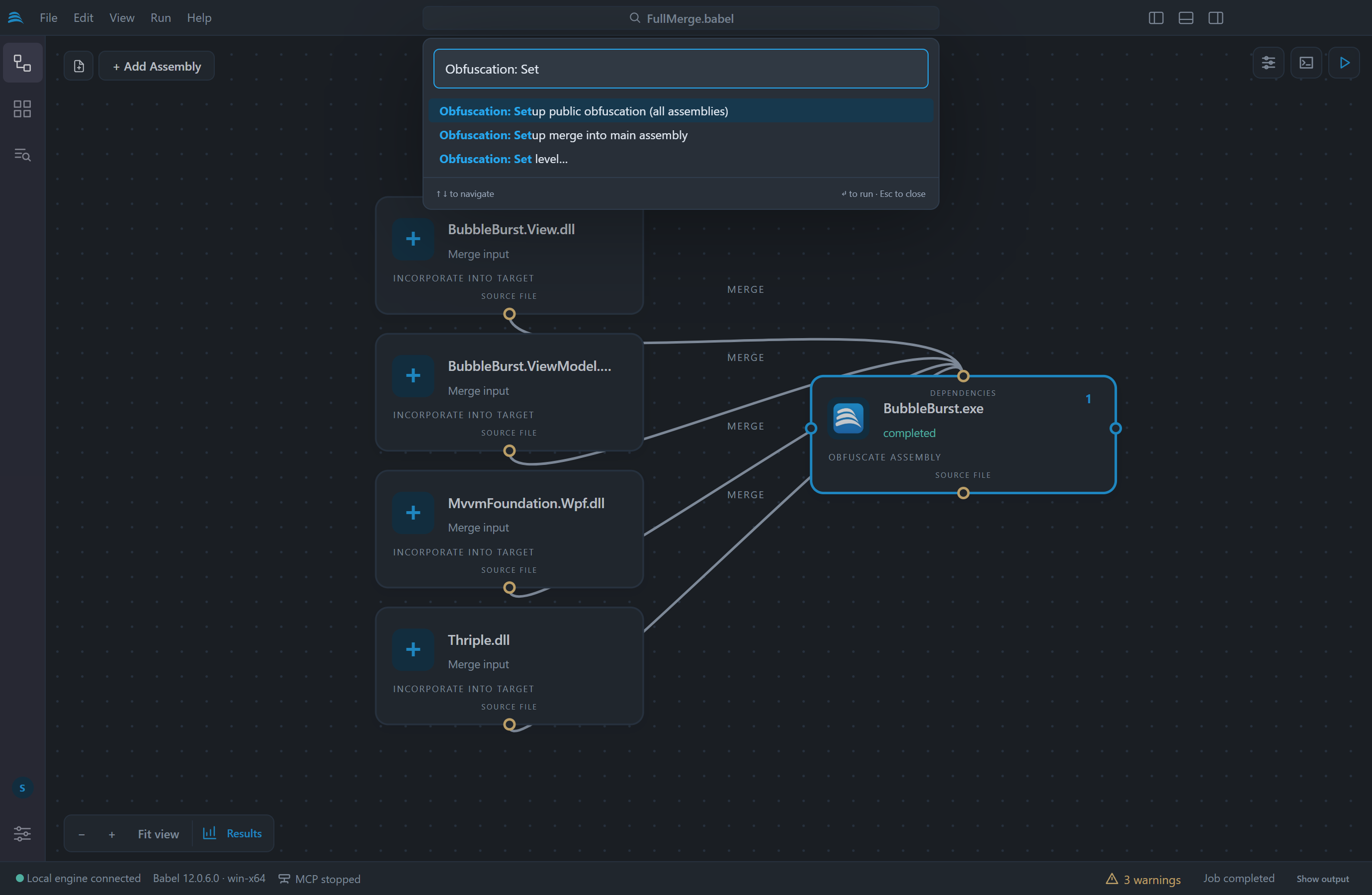
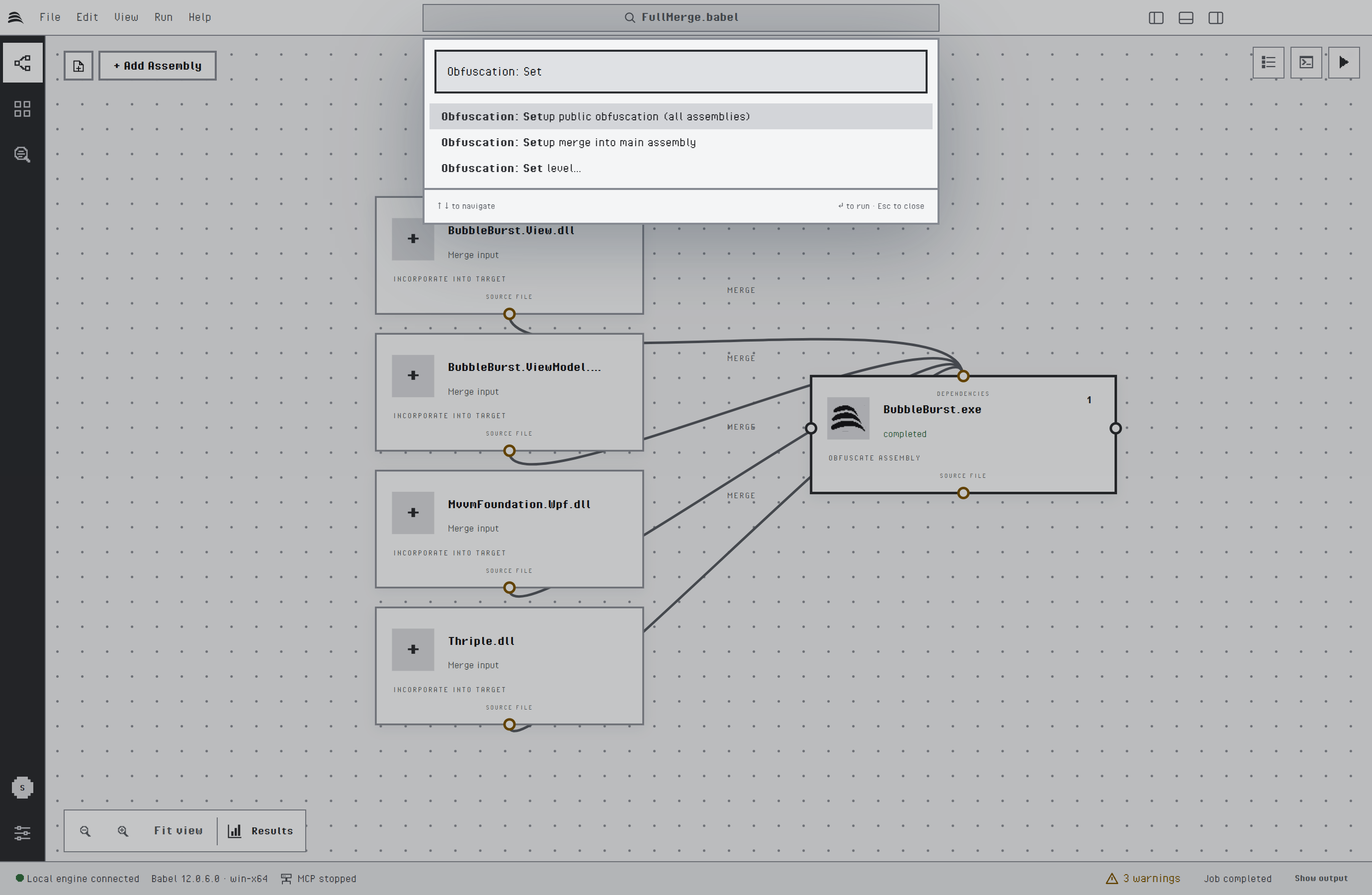
The setup commands in the command palette
| Command | Effect |
|---|---|
| Obfuscation: Setup merge into main assembly | Merges every other target into the main assembly, so the project produces a single output file. The main assembly is the only .exe of the project, or the first target when there is none or more than one. An assembly the engine cannot merge is left as it is. |
| Obfuscation: Setup public obfuscation (all assemblies) | Prepares a set of assemblies that are shipped together to have their public symbols renamed. Each target gets an XML rule named obfuscate public and writes its rename map, and a target that depends on another one reads its map through a map link. |
| Obfuscation: Set level… | Applies one of three protection levels to the selected target. |
The levels set these options and leave the others as they are:
| Level | Protection |
|---|---|
| Light | Renaming of types, methods, fields, properties and events. Control flow, the encryption features and the anti-analysis protections are turned off. |
| Balanced | Renaming, control flow obfuscation with the goto algorithm, string encryption and ILDASM suppression. |
| Maximum | Renaming, control flow obfuscation with goto, switch, case, if and chained state, stream string encryption, value encryption, MSIL encryption, tampering detection, debugging protection and ILDASM suppression. When the license does not include the stream algorithm, the default string encryption is used. |
The two setup commands skip package targets (.apk, .appx and .xap). None of the three runs while a job is in progress or an edit is waiting to be applied. They change the open project and do not save it, so you can review the result on the canvas and in the properties panel first. Applying a lower level after a higher one turns the extra protections off again.
Target Settings
Select a node and click the Properties button at the top right of the canvas, or press Enter on a selected node, to open the properties panel. The Settings tab lists every Babel Obfuscator option of the selected target, grouped as Renaming, Control flow, Code encryption, Optimization, Signing & protection, Files & dependencies, Output & diagnostics and Advanced. Type in Find a setting to filter the list.
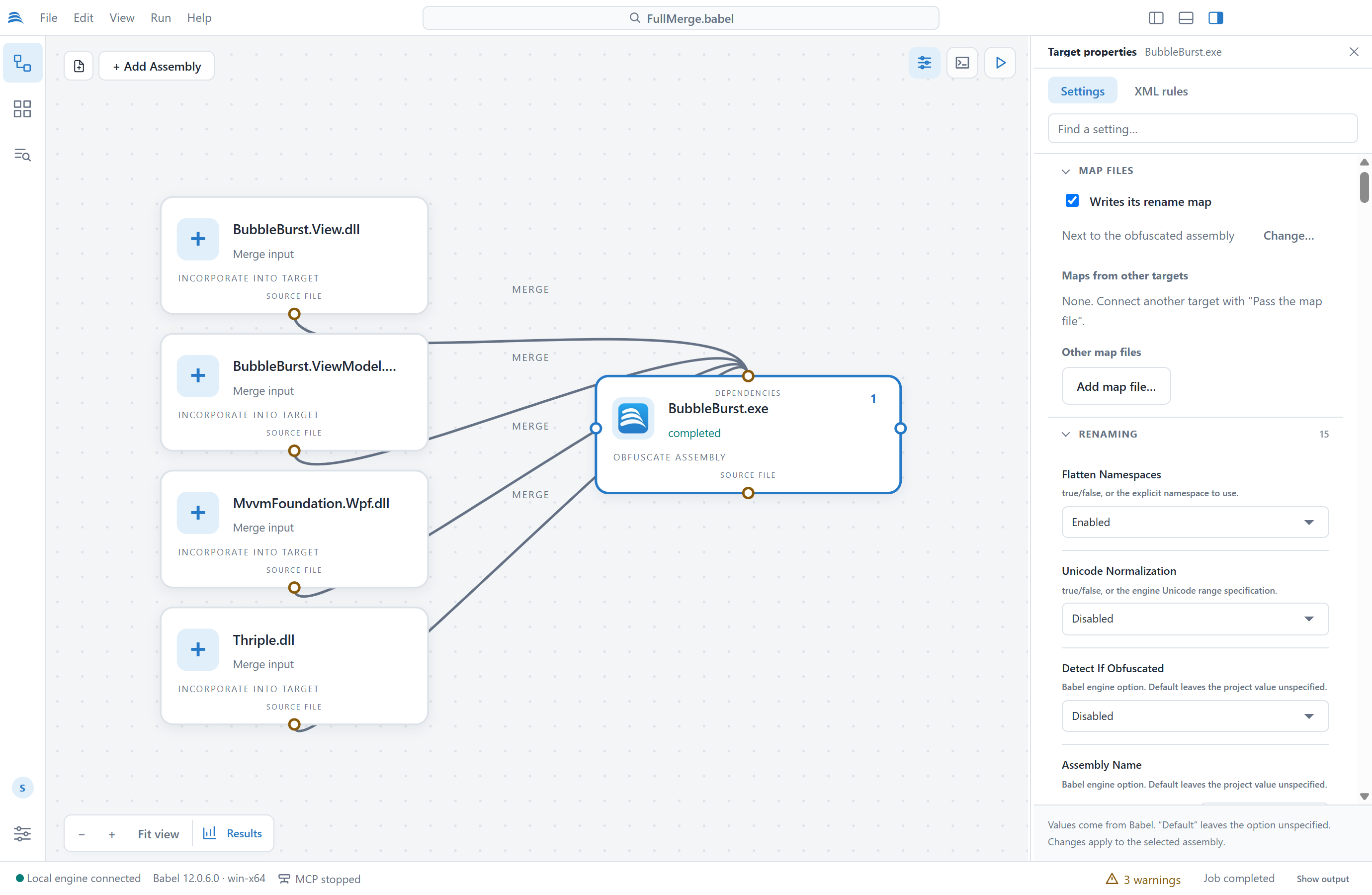
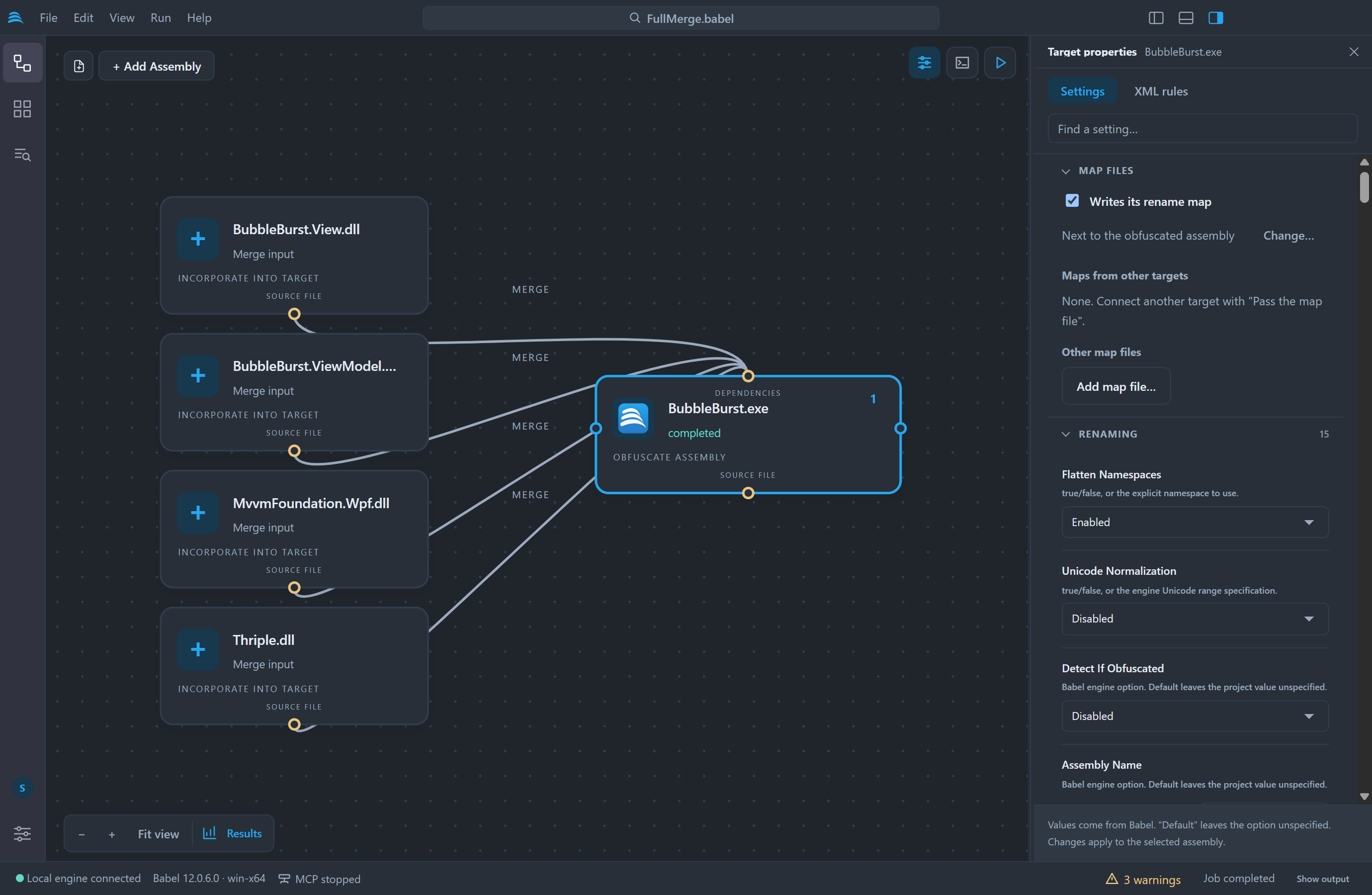
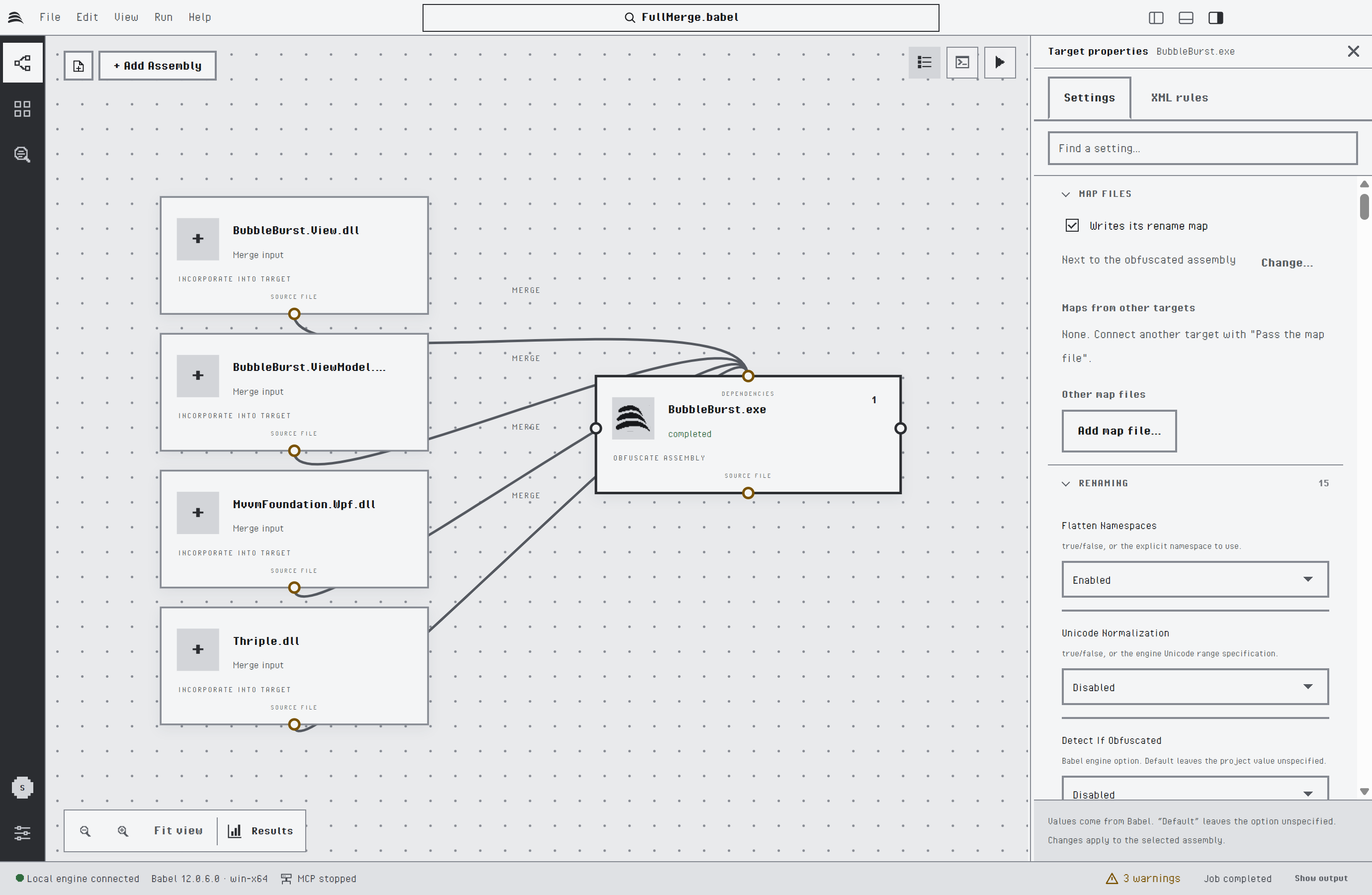
The properties panel of the selected target
The settings use the option names of the MSBuild task, so the Babel task reference and the pages of each protection describe what they do. Each option gets a control that fits its type: check boxes for switches, lists for algorithms, file and folder pickers for paths, and editors for filters and property maps.
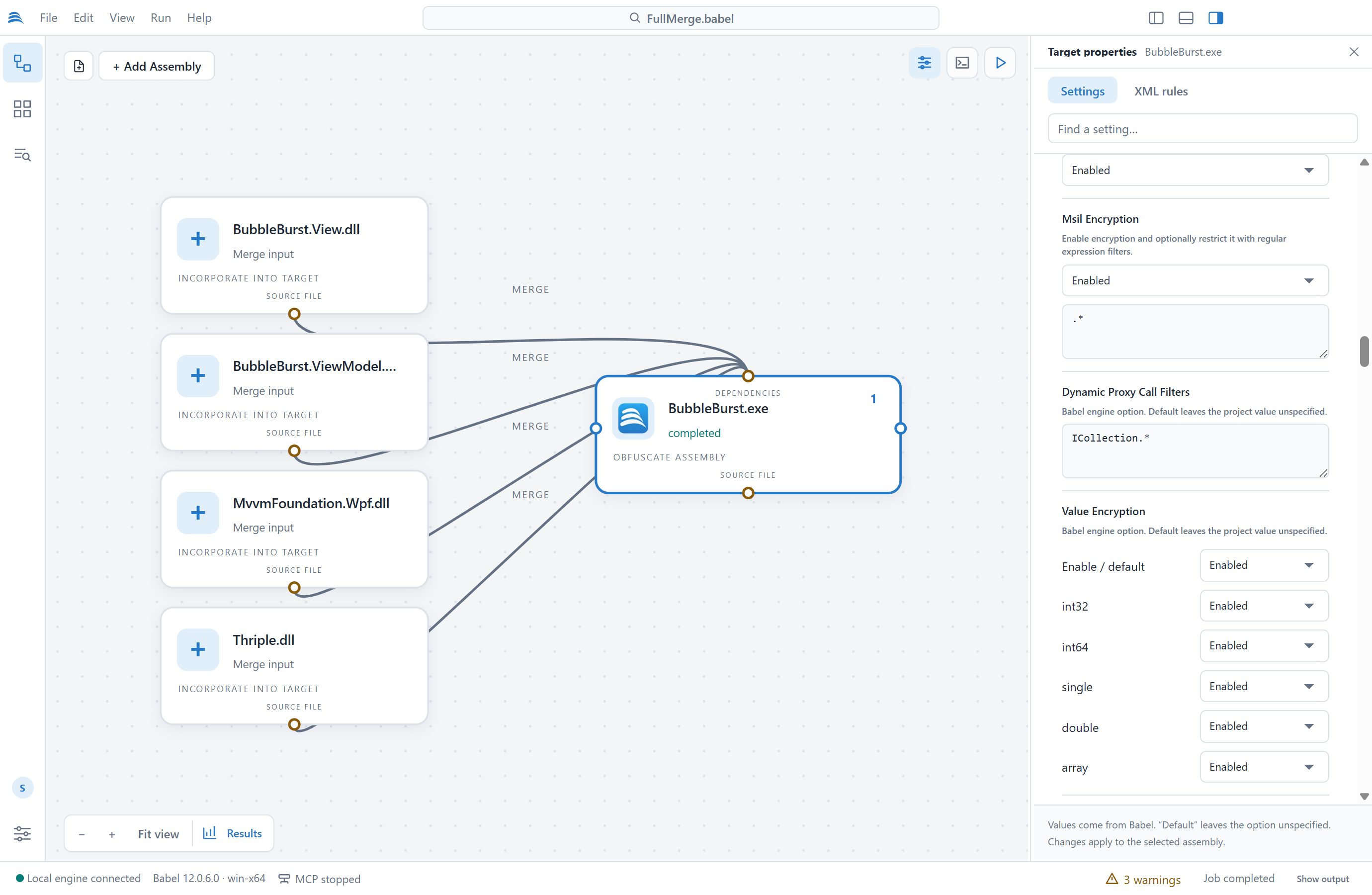
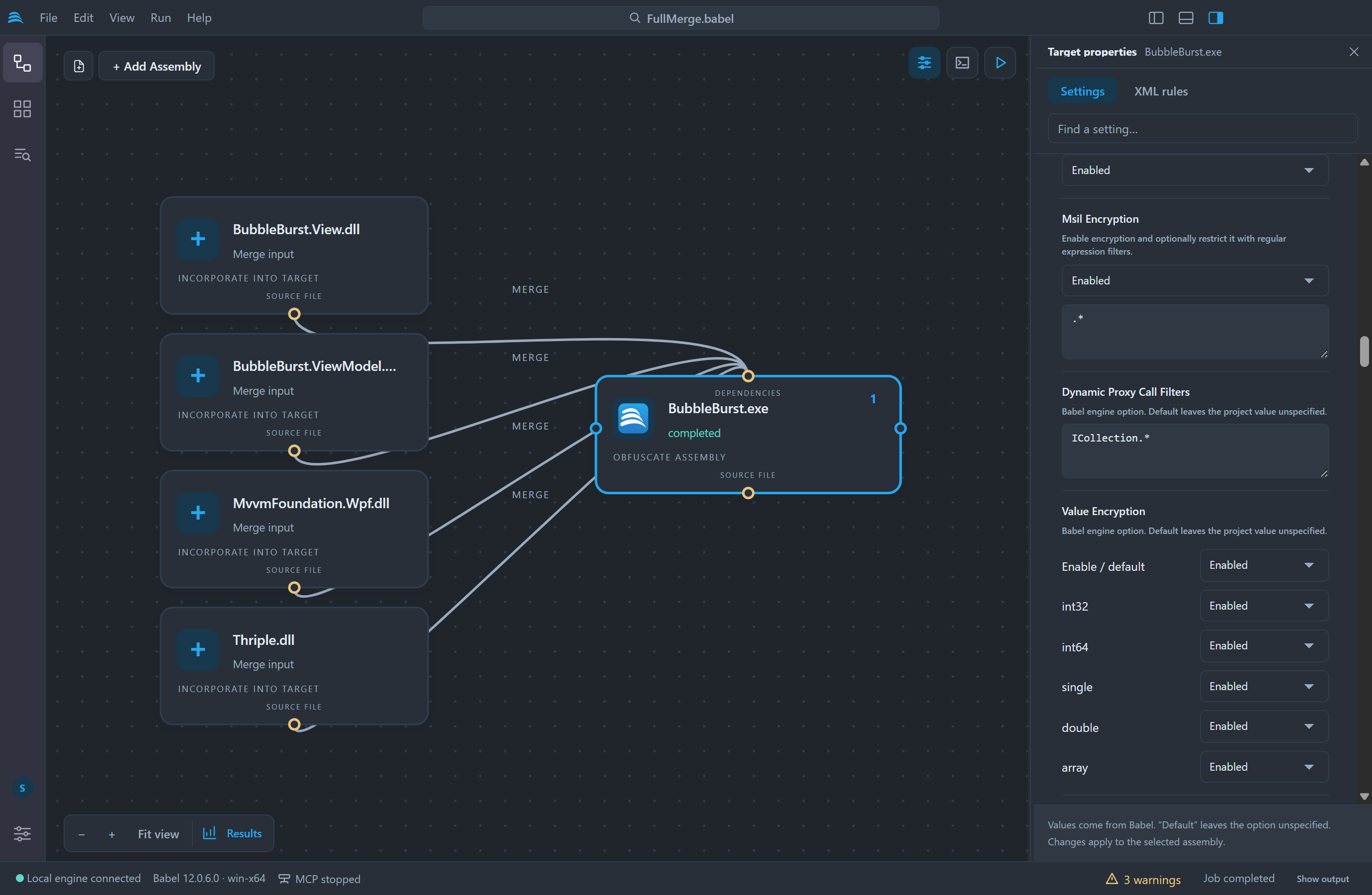
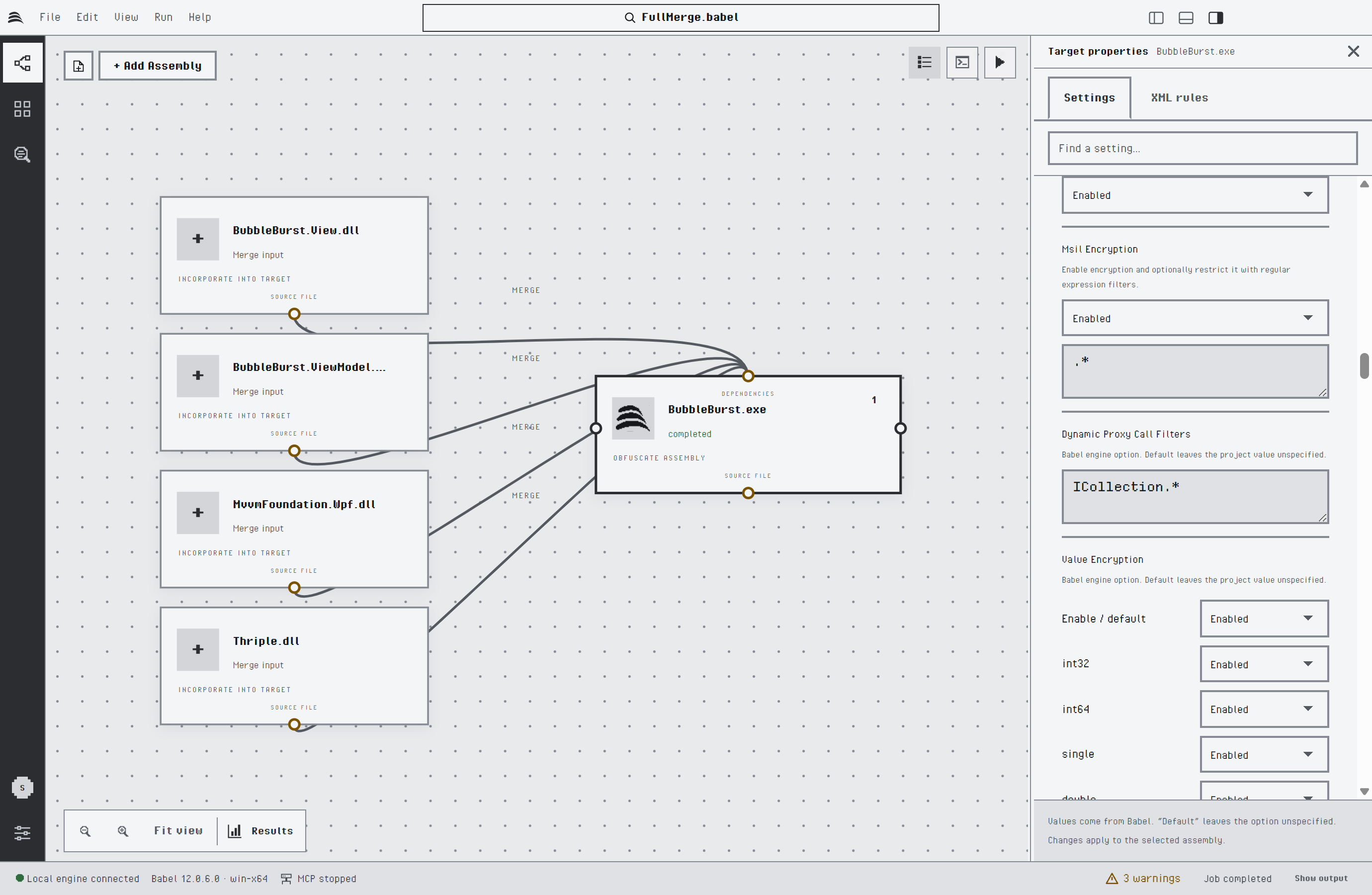
Code encryption settings: string, MSIL and value encryption
Composite options such as Control Flow Obfuscation show one control per property. The next picture shows the control flow switches. The last one, chain, turns on the Ultimate chained state algorithm.
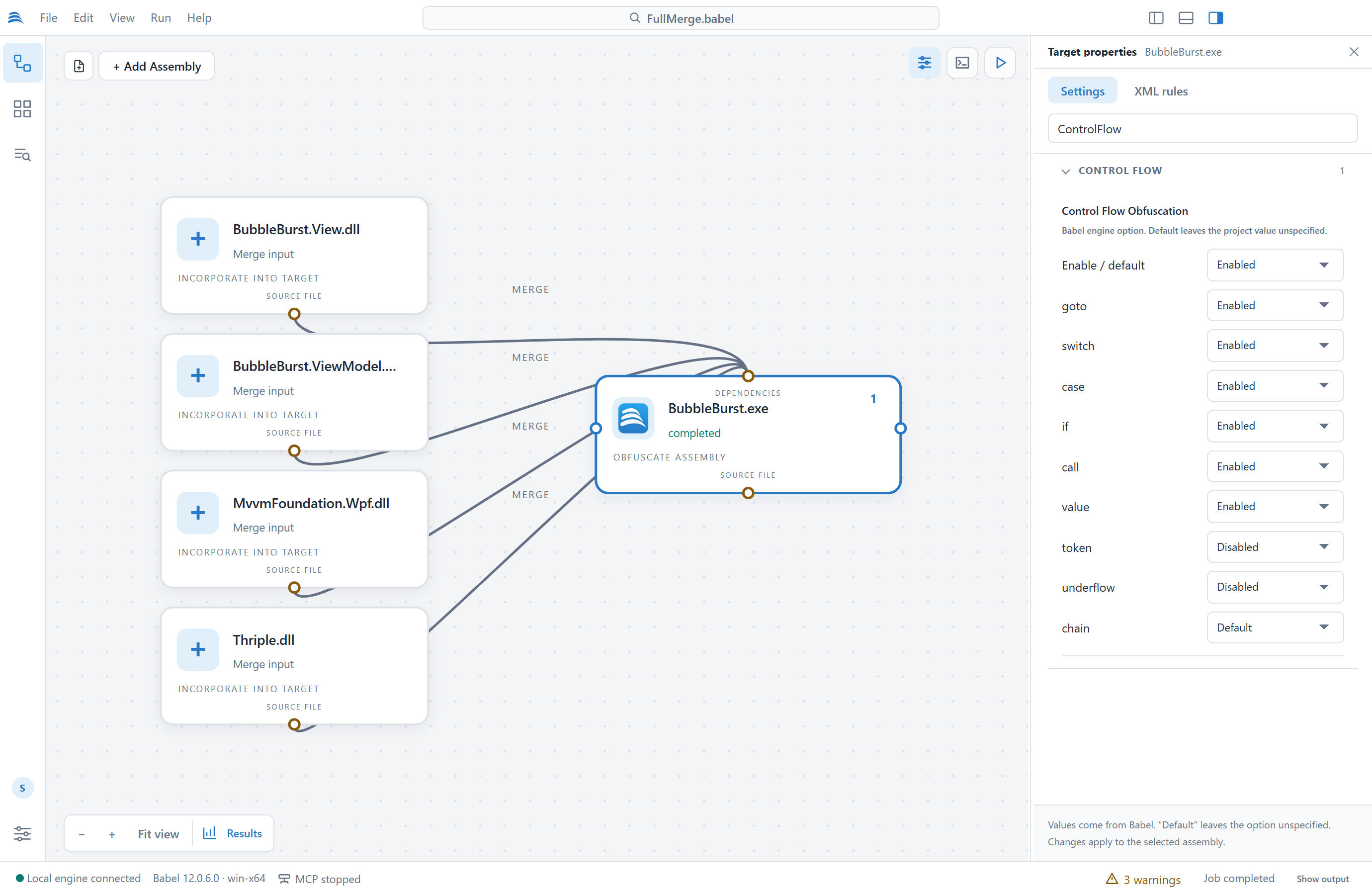
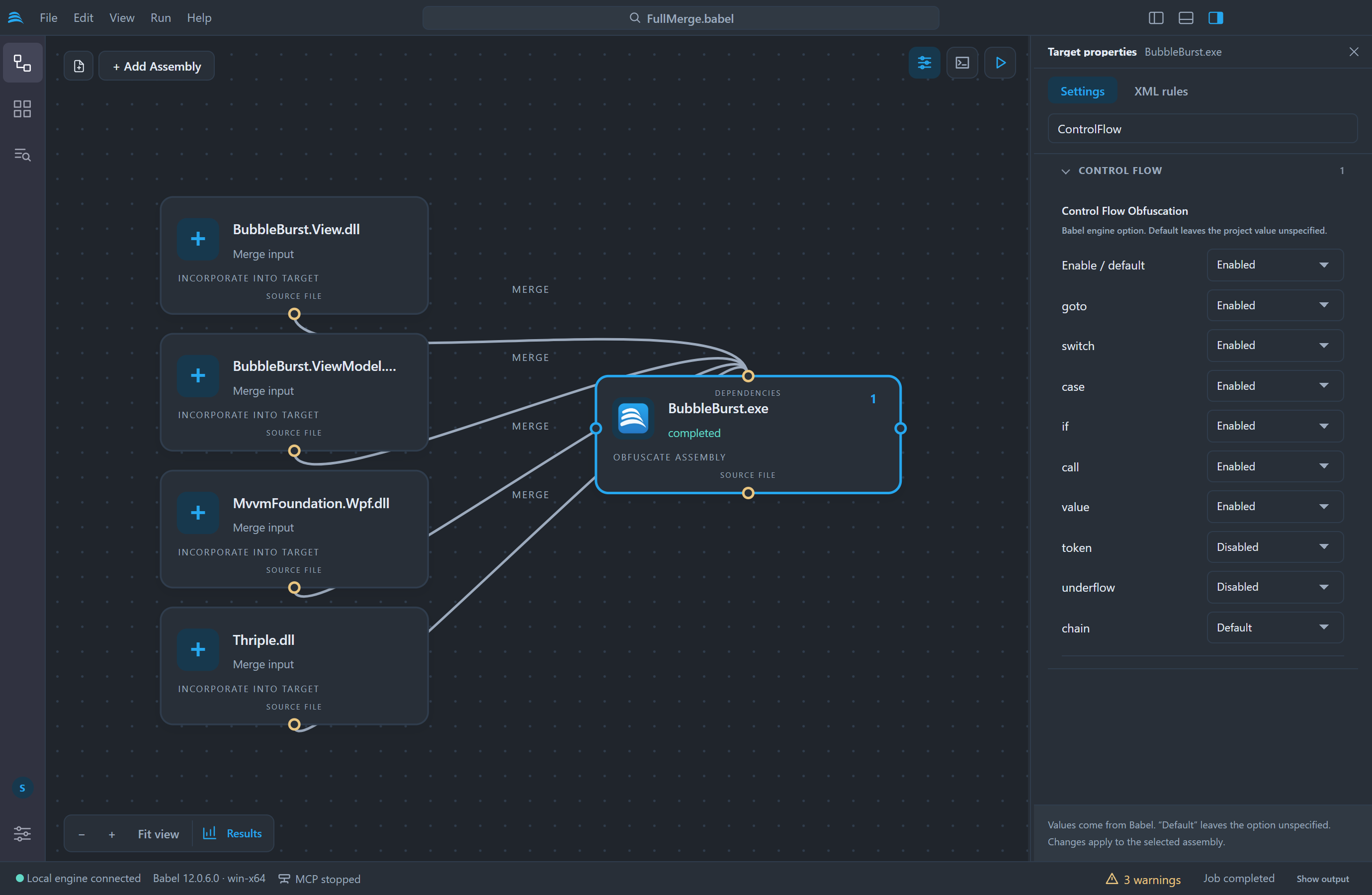
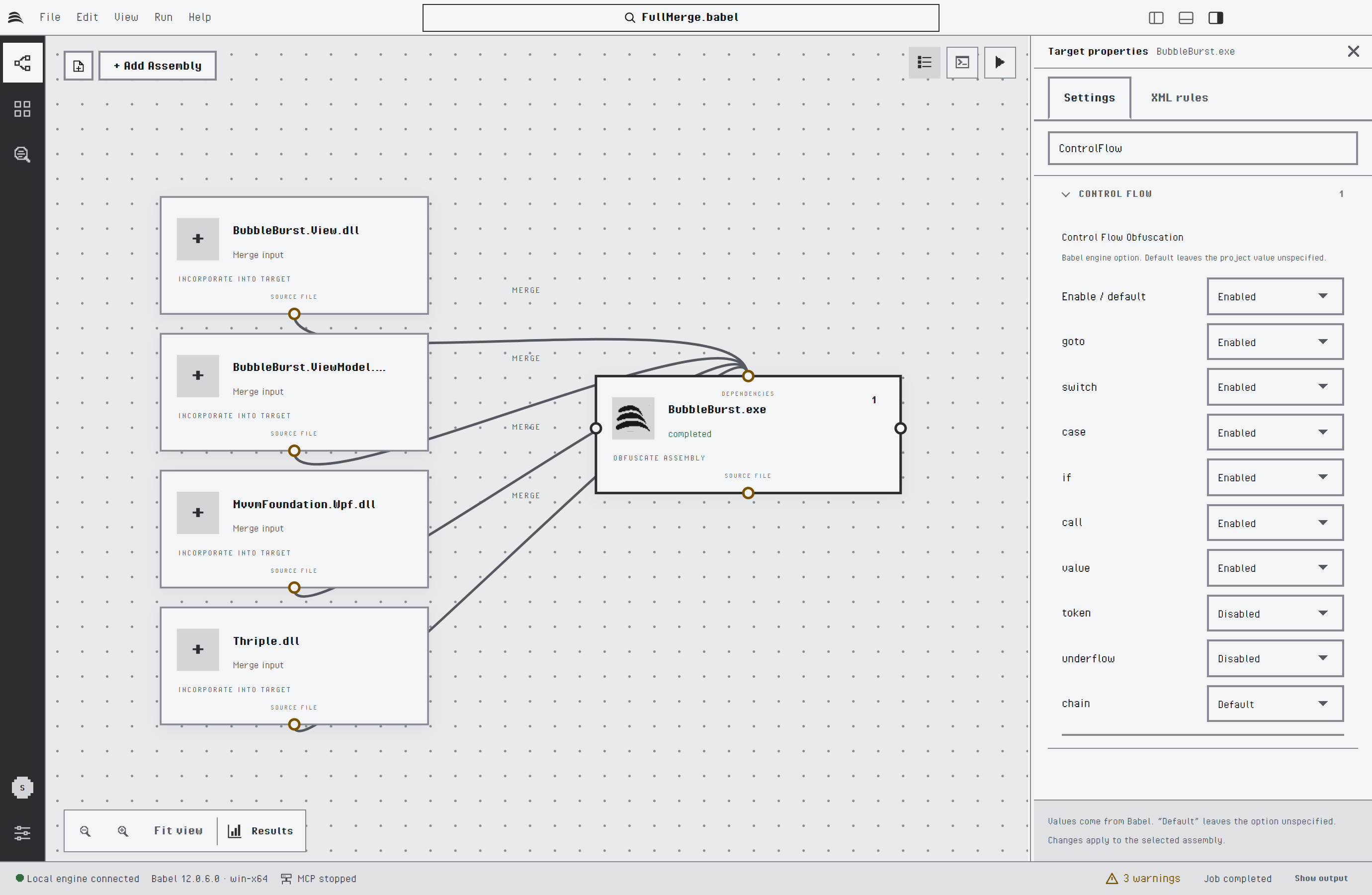
Control Flow Obfuscation properties
Passwords, such as a signing key or map file password, are kept for the current session only. They are never written to the project file, so you enter them again after a restart. When the engine needs a password during a run, Babel Desktop asks for it.
Babel Desktop preserves the parts of a .babel file it does not edit, such as comments, custom properties and custom MSBuild tasks. It does not evaluate MSBuild imports, conditions or custom tasks: a project that depends on them must be built with MSBuild. The one exception is the UsingTask element of the Babel task, which is converted as described above.
Map Files
The Map files group of the properties panel collects the map settings of the selected target:
- Writes its rename map turns the map file of the target on or off. The path below it is where the map is written, by default next to the obfuscated assembly; Change… picks another file.
- Maps from other targets lists the map links that end on this target. Click a target name to select it.
- Other map files lists the maps this target reads that no target of the project writes, such as the map of a library obfuscated in an earlier build. Add map file… adds one and Remove takes it away.
XML Rules
The XML rules tab edits the inline XML obfuscation rules of the selected target. The editor highlights the XML and Validate checks it against the Babel rules schema, reporting the line and column of each error. Open XML loads a rules file into the editor, Save XML file writes the editor content to a file and Apply to assembly stores the rules in the target. Inline rules are saved in the project file.
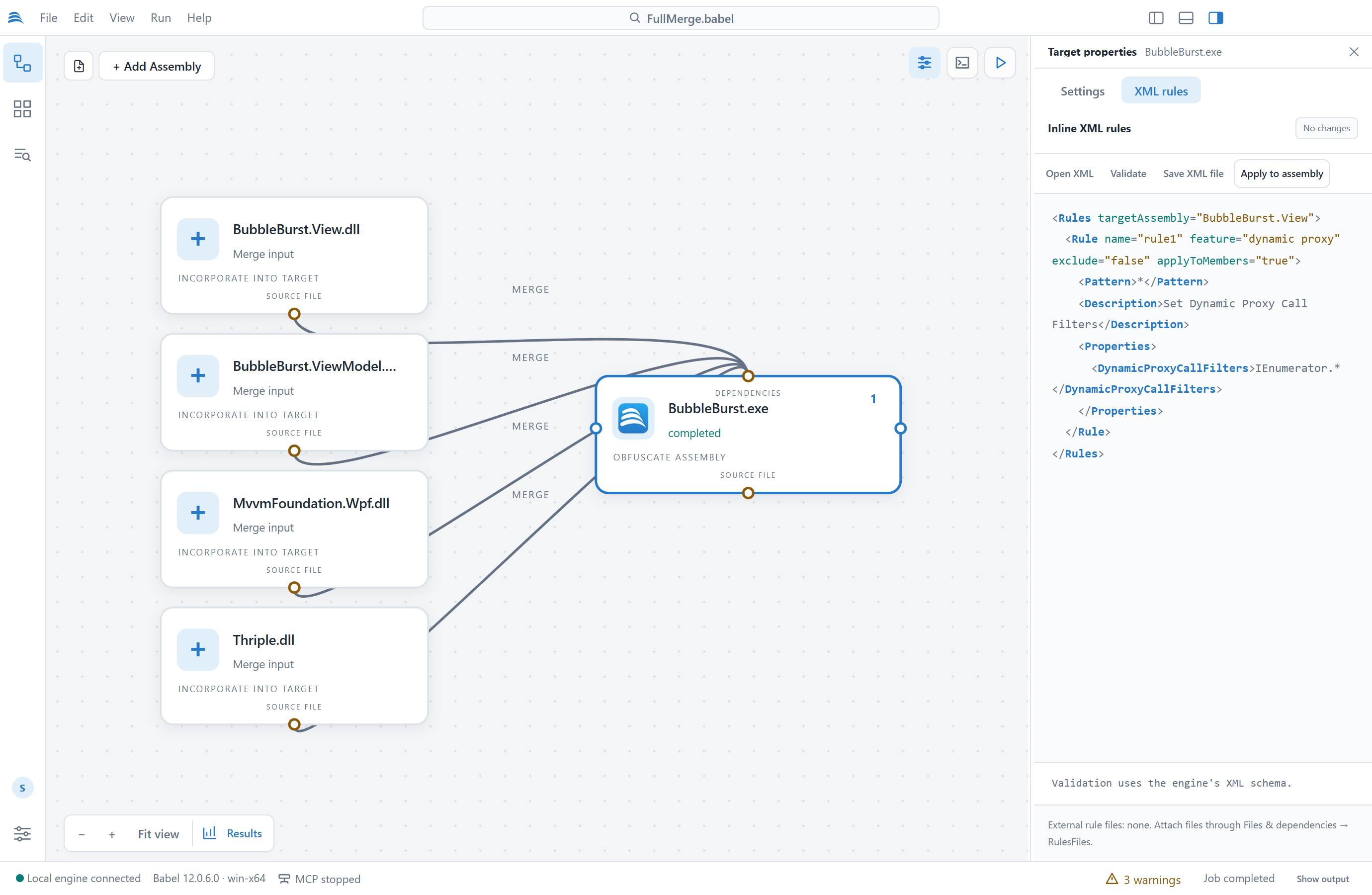
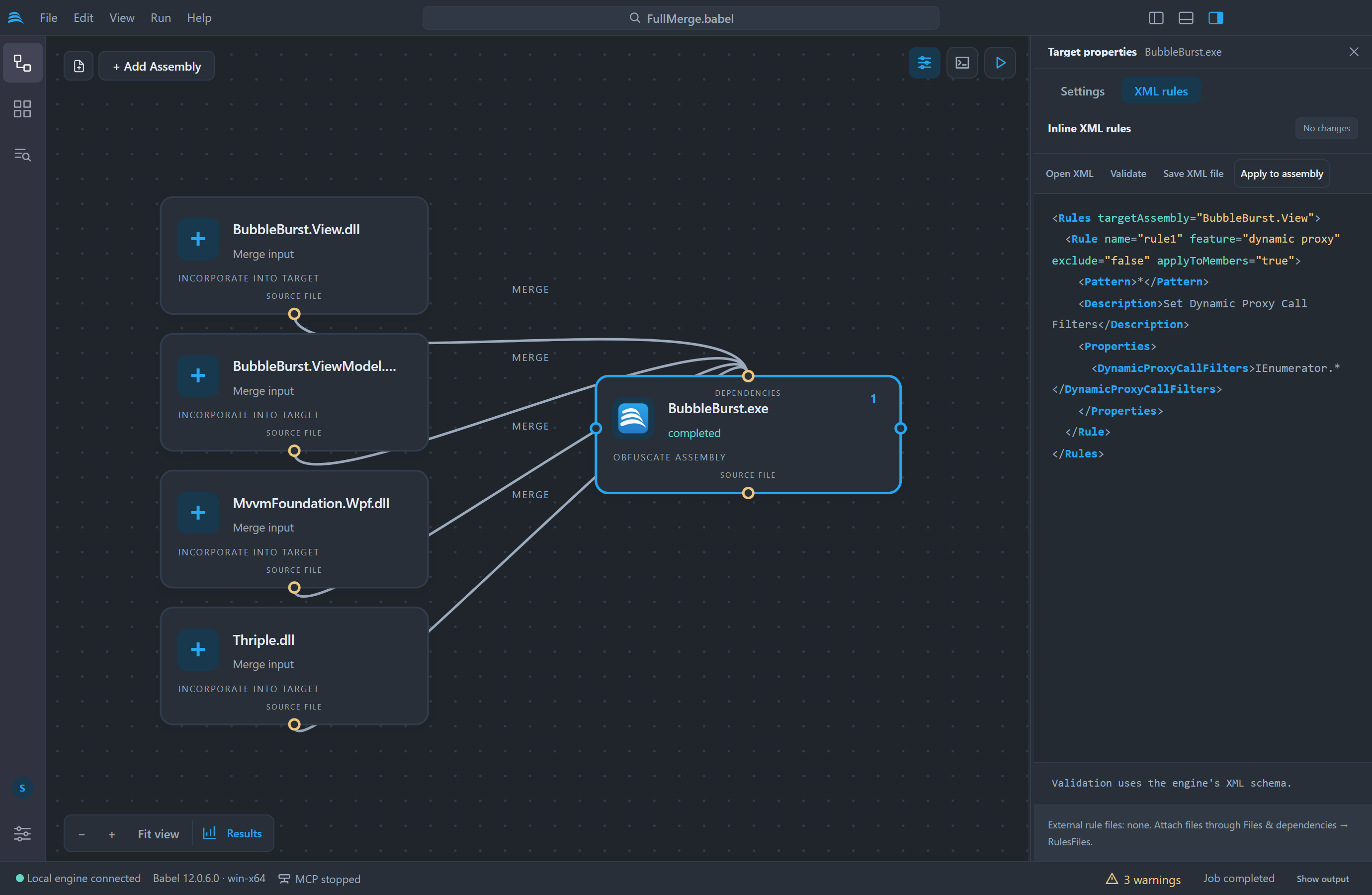
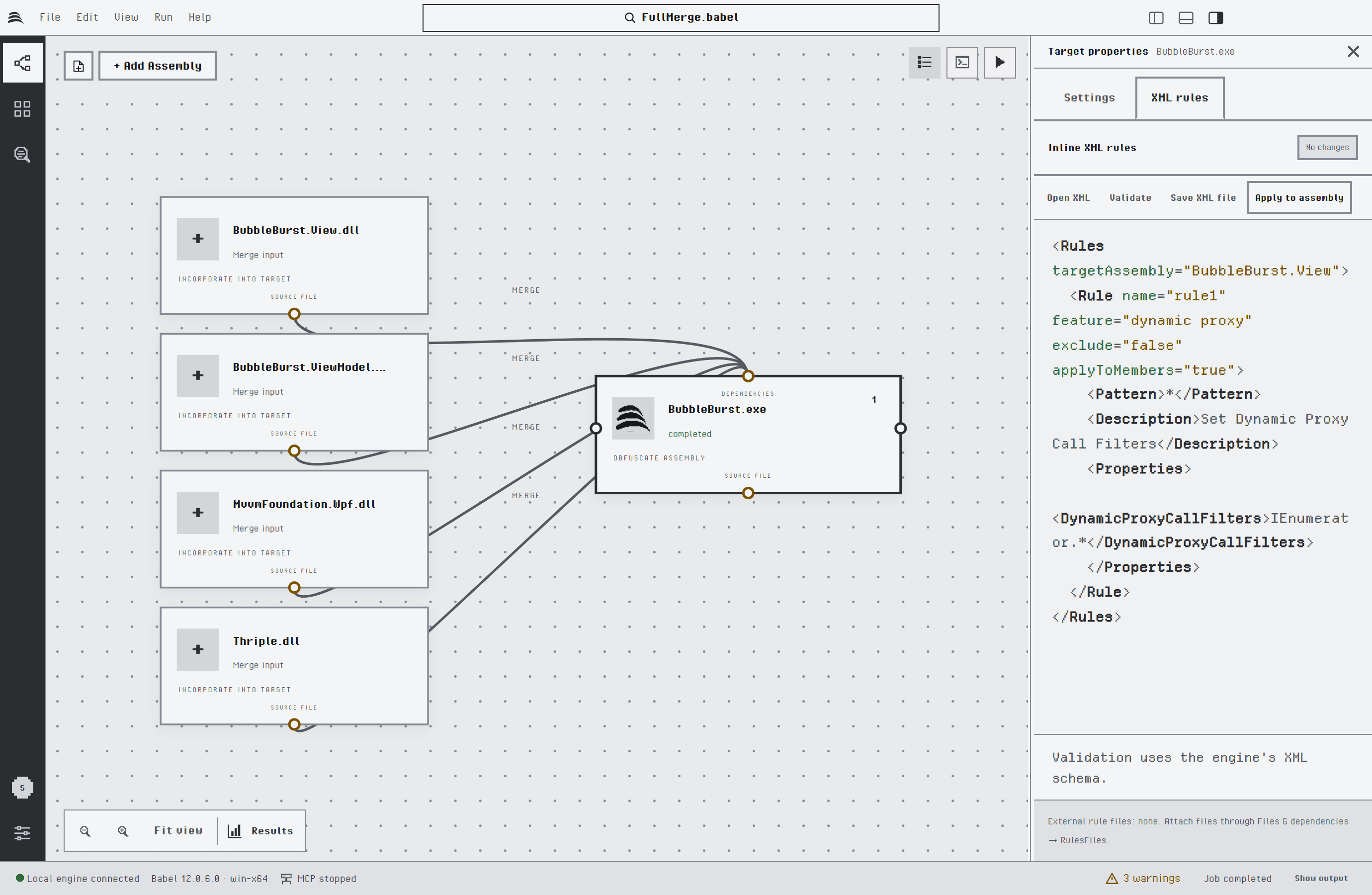
Inline XML rules of a target
Engine Plugins
Babel Obfuscator plugins are set per target with Engine plugins: Configure DLL paths. Engine plugins: Discover argument names reads the argument names a plugin declares, so you can fill in its arguments. Plugins are .NET code that runs inside the engine, so use only plugins you trust.
Running the Project
Click Run project at the top right of the canvas, press Ctrl+Enter (Cmd+Enter on macOS) or choose Run > Run Obfuscation. Unless a target sets its own output path, the obfuscated assembly is written to a BabelOut folder next to each input assembly. Before the run starts, Babel Desktop checks where the output will go. It will not overwrite an input assembly, a key file or a plugin, and it asks before replacing existing output files.
The Activity panel shows the phase in progress, a progress indicator and the engine log. The Log tab lists every message the engine writes at the target’s Verbose Level, and warnings and errors are also collected in the Problems tab. Each target node reports its state on the canvas. Cancel job stops the run. Targets run one after another; when a target fails, the targets after it do not run.
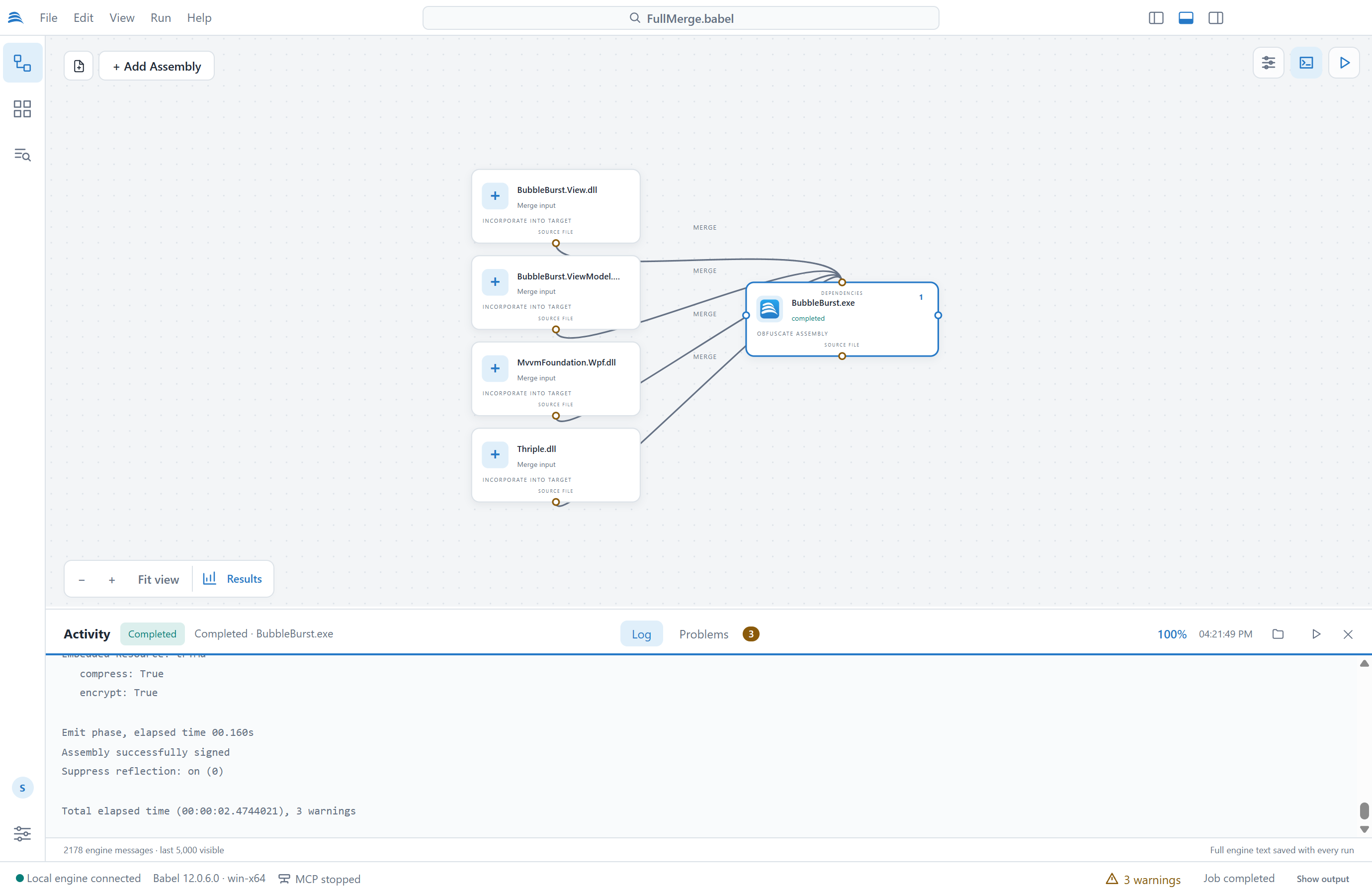
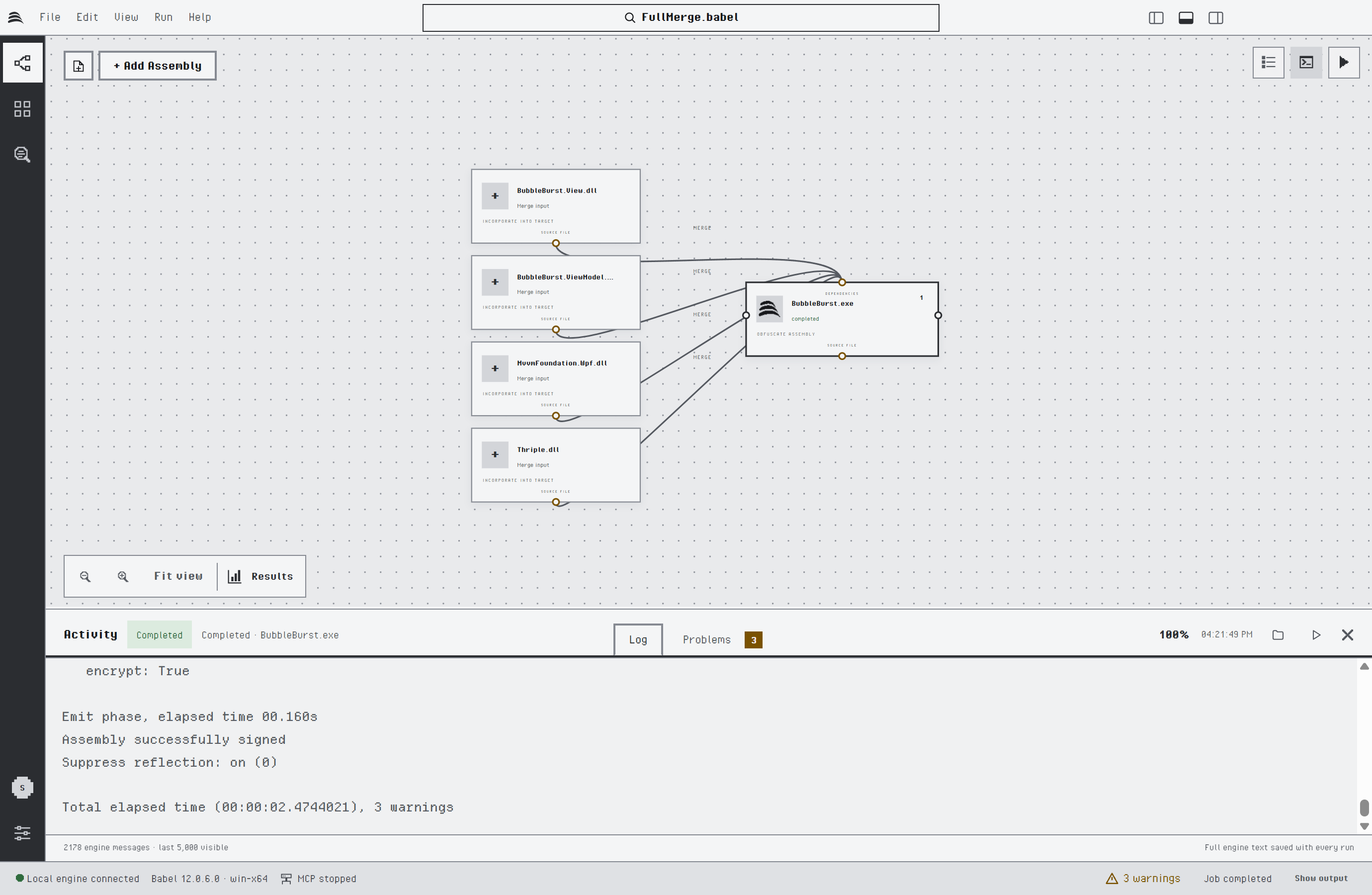
A completed run in the Activity panel
After a run, the buttons at the top of the Activity panel open the output folder and start the obfuscated application. File > Reveal Output and Run > Run Obfuscated App (Ctrl+F5, Cmd+F5 on macOS) do the same. Babel Desktop starts a Windows executable directly and a .NET application through dotnet when its .runtimeconfig.json file is available. It does not offer to start a library.
Obfuscation Score
After a completed run, the card of each target shows an obfuscation score from 0 to 100, a quick check that the run applied the protections you expected. Rest the pointer on the target to open the card.
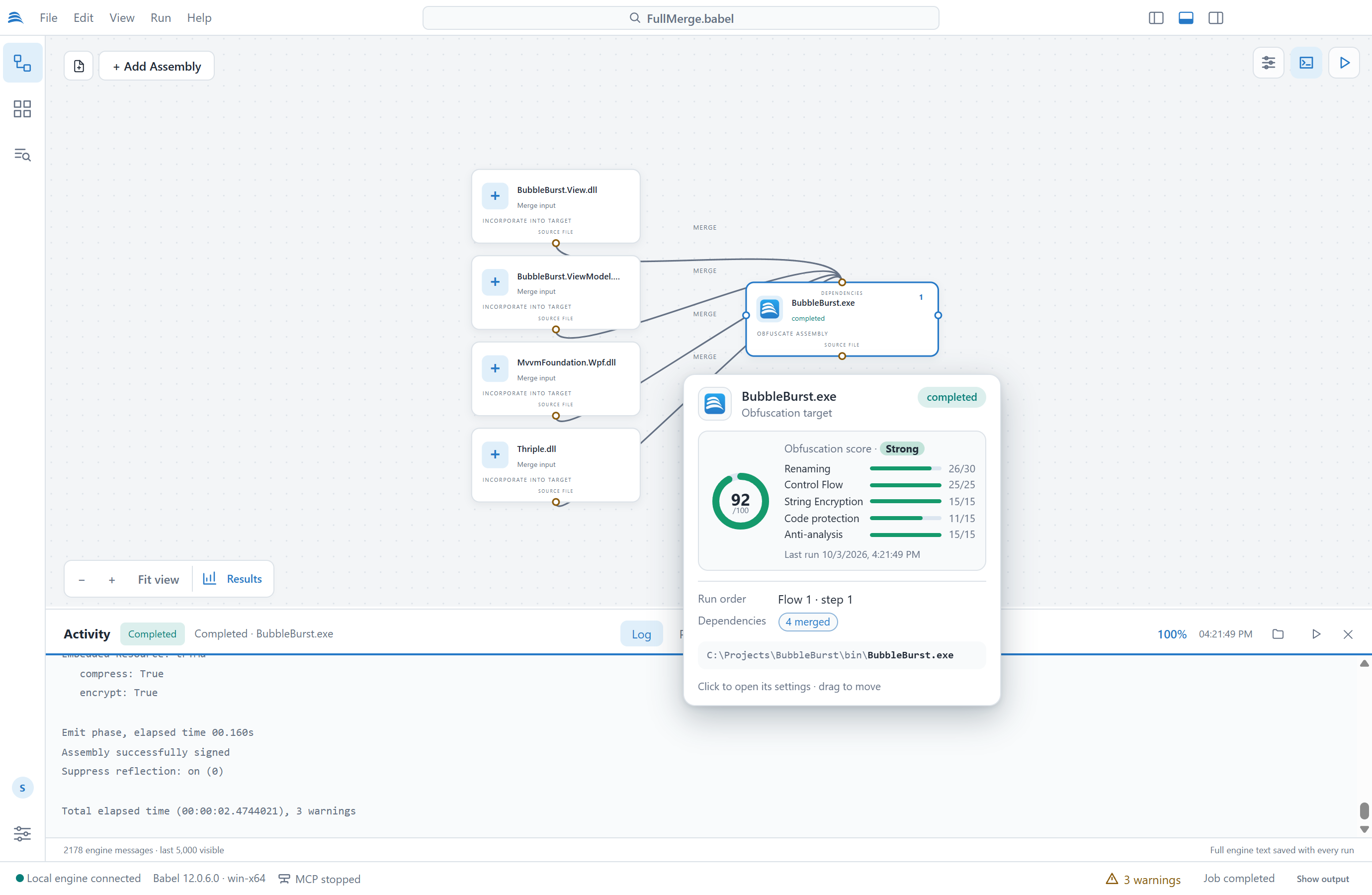
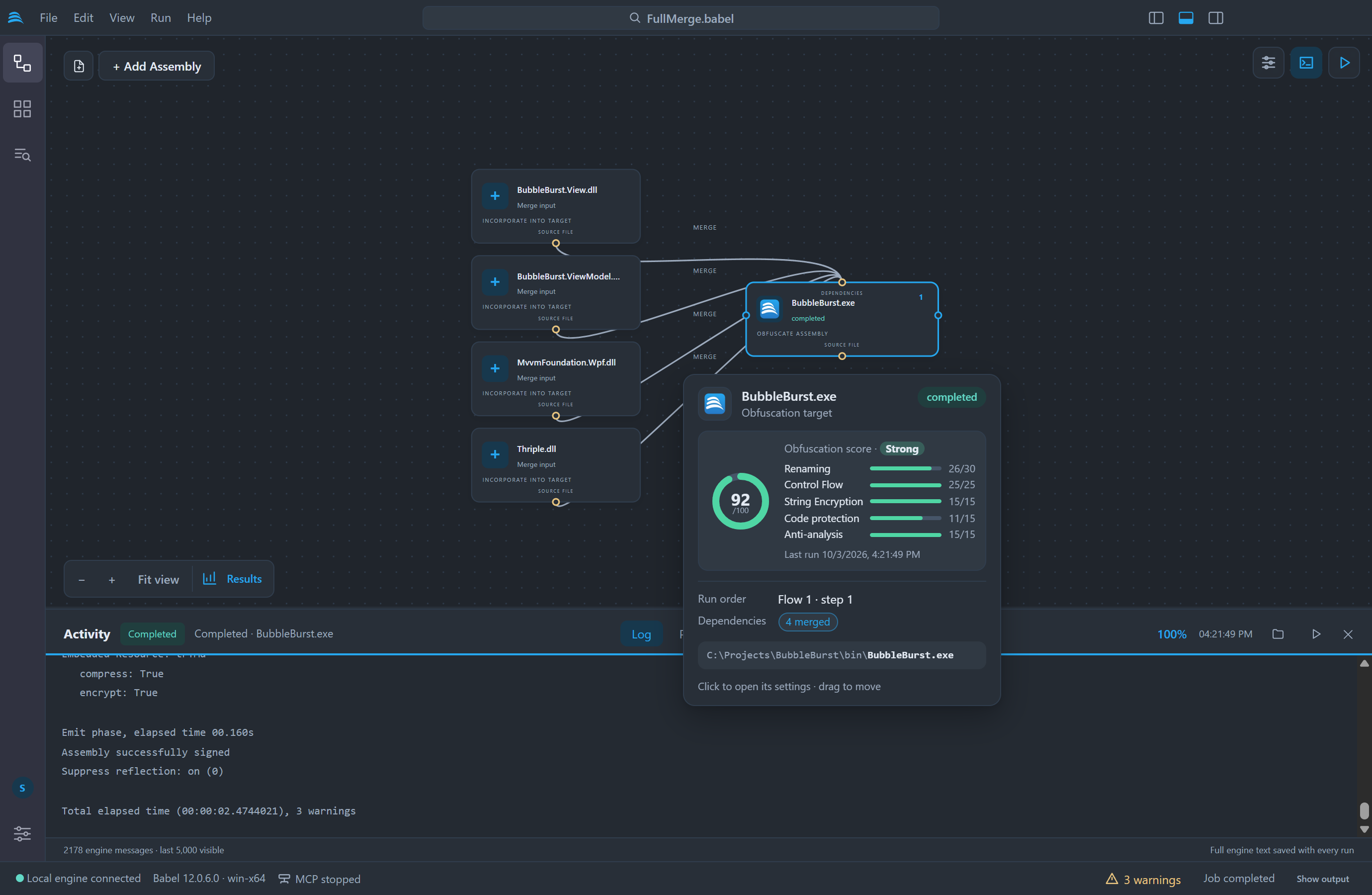
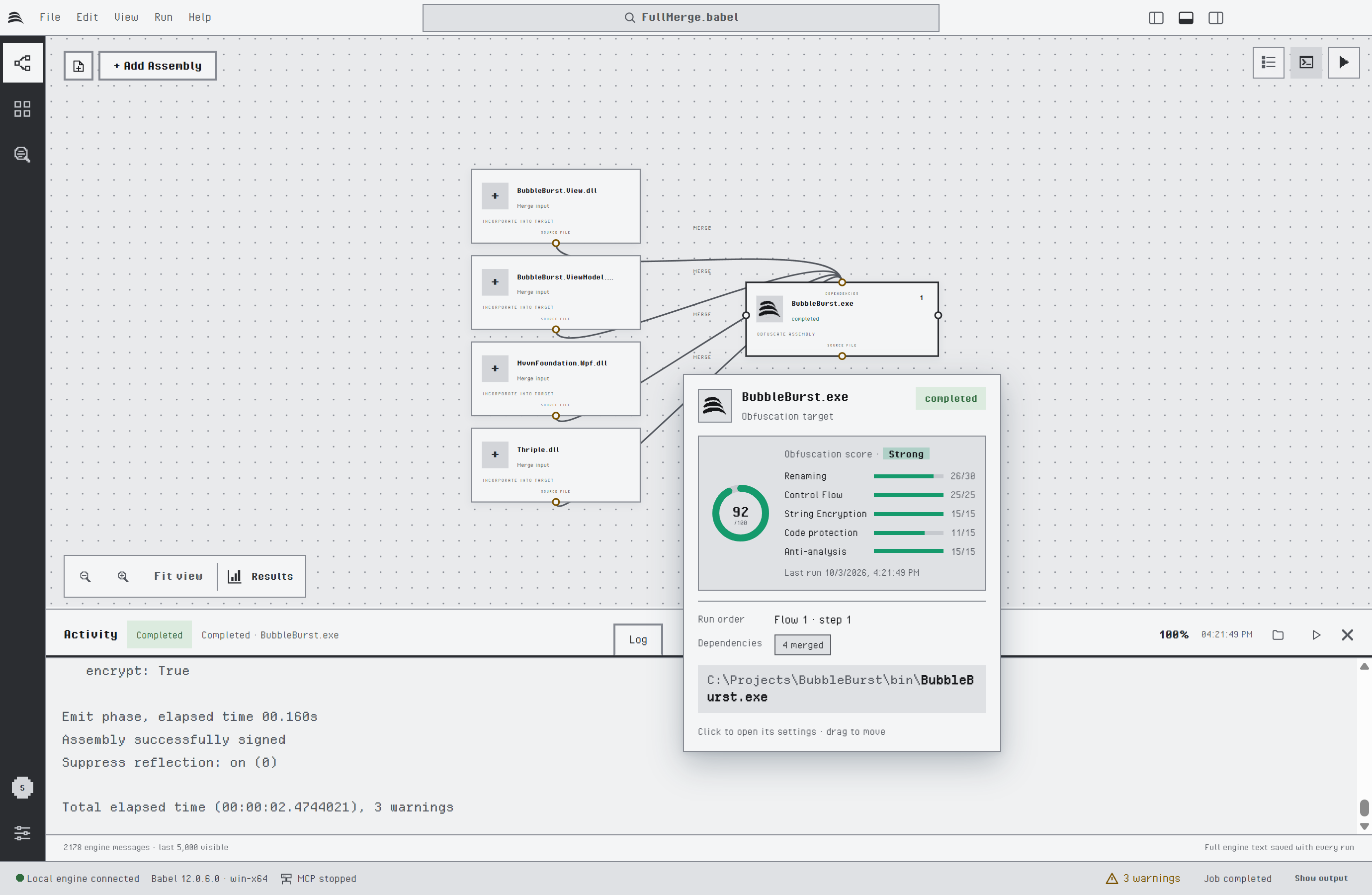
The obfuscation score of a target that merges four assemblies
The score adds the points of five protection layers. Each bar shows the points a layer earned out of its maximum, so a low score tells you which layer is missing.
| Layer | Points | Earned by |
|---|---|---|
| Renaming | 30 | The share of the eligible symbols that were renamed |
| Control Flow | 25 | The share of the methods that were scrambled. Methods without branches are left alone, so half of the methods is enough for all the points |
| String Encryption | 15 | Encrypted strings |
| Code protection | 15 | MSIL encryption (7), dynamic proxy calls (4) and value encryption (4) |
| Anti-analysis | 15 | Tampering detection, debugging protection and ILDASM suppression, 5 points each |
The score is graded Weak below 35, Fair from 35, Good from 60 and Strong from 80. It comes from the statistics of the last completed run of the project. Assemblies merged into a target count towards its score and show none of their own. A target that has not run yet shows no score.
The score counts the protections a run applied and says nothing about how long the result resists a given tool. A lower score can be the right one: a library with a public API keeps its public names, so it earns fewer renaming points.
Running Flows in Parallel
A project with several independent flows, such as libraries that do not reference each other, can obfuscate them at the same time. Turn on Run independent flows in parallel in Settings > Obfuscation and choose how many flows run at once, from 2 to 4. The option is off by default.
Each flow runs in its own engine process, and inside a flow the targets still run in order. Babel Desktop checks the whole project before any flow starts, as it does for a single run. While the flows run:
- The progress indicator counts the targets completed out of the targets planned, and each line of the log starts with the name of its assembly, for example
[Library1.dll]. - A target that fails stops its own flow. The other flows go on, and the run is reported as failed.
- Cancel job stops every flow.
- When several targets need a certificate password, Babel Desktop asks for one at a time and names the assembly that needs it.
Every engine process takes a couple of seconds to start, so running in parallel saves time with large assemblies. A small project can finish sooner one target after another. With a floating license, Babel Desktop runs one flow at a time.
Tools: Job warnings in the command palette lists the warnings of the current run, and Tools: Warning reference opens the searchable catalog of engine warning codes with their descriptions.
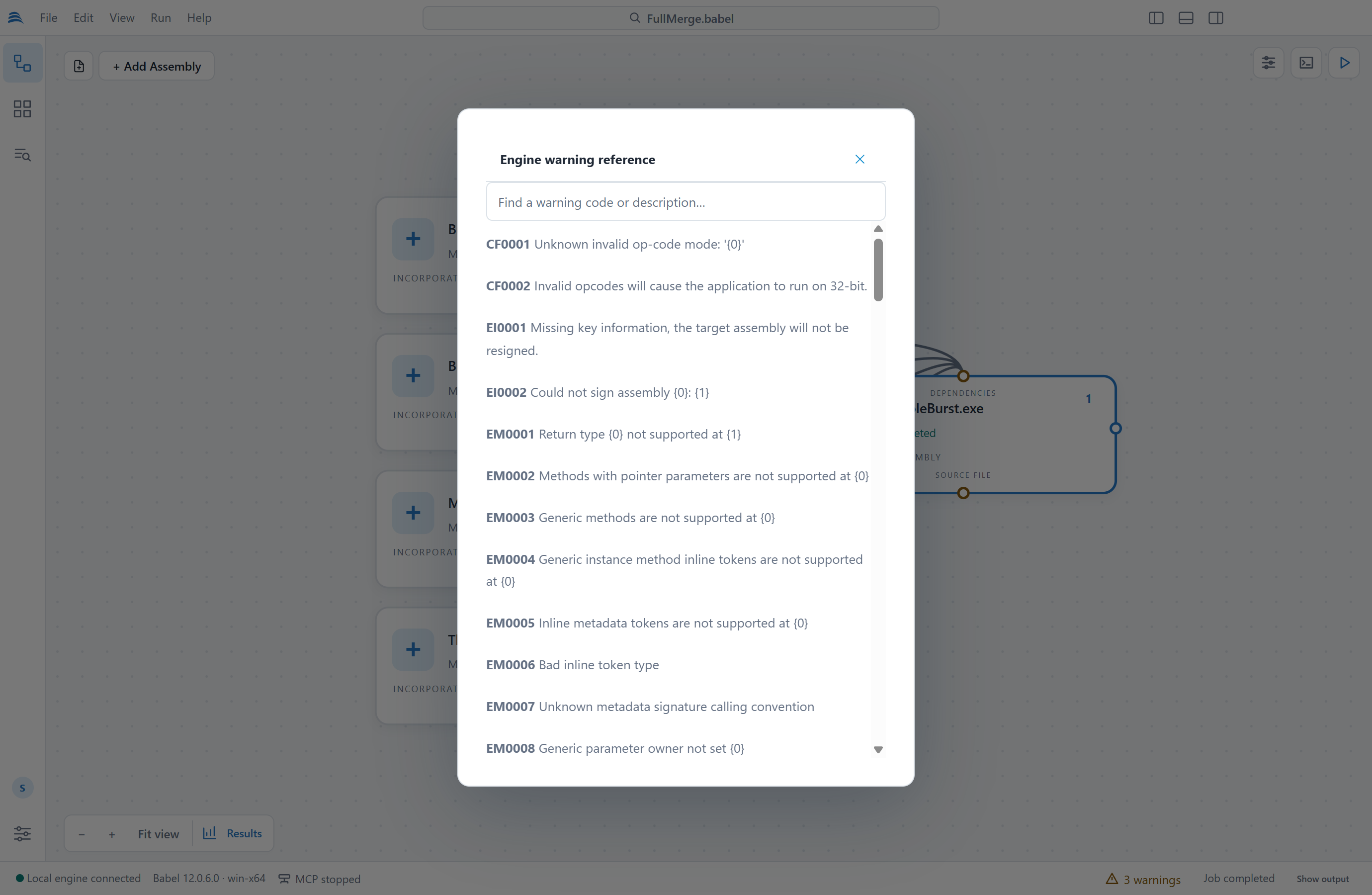
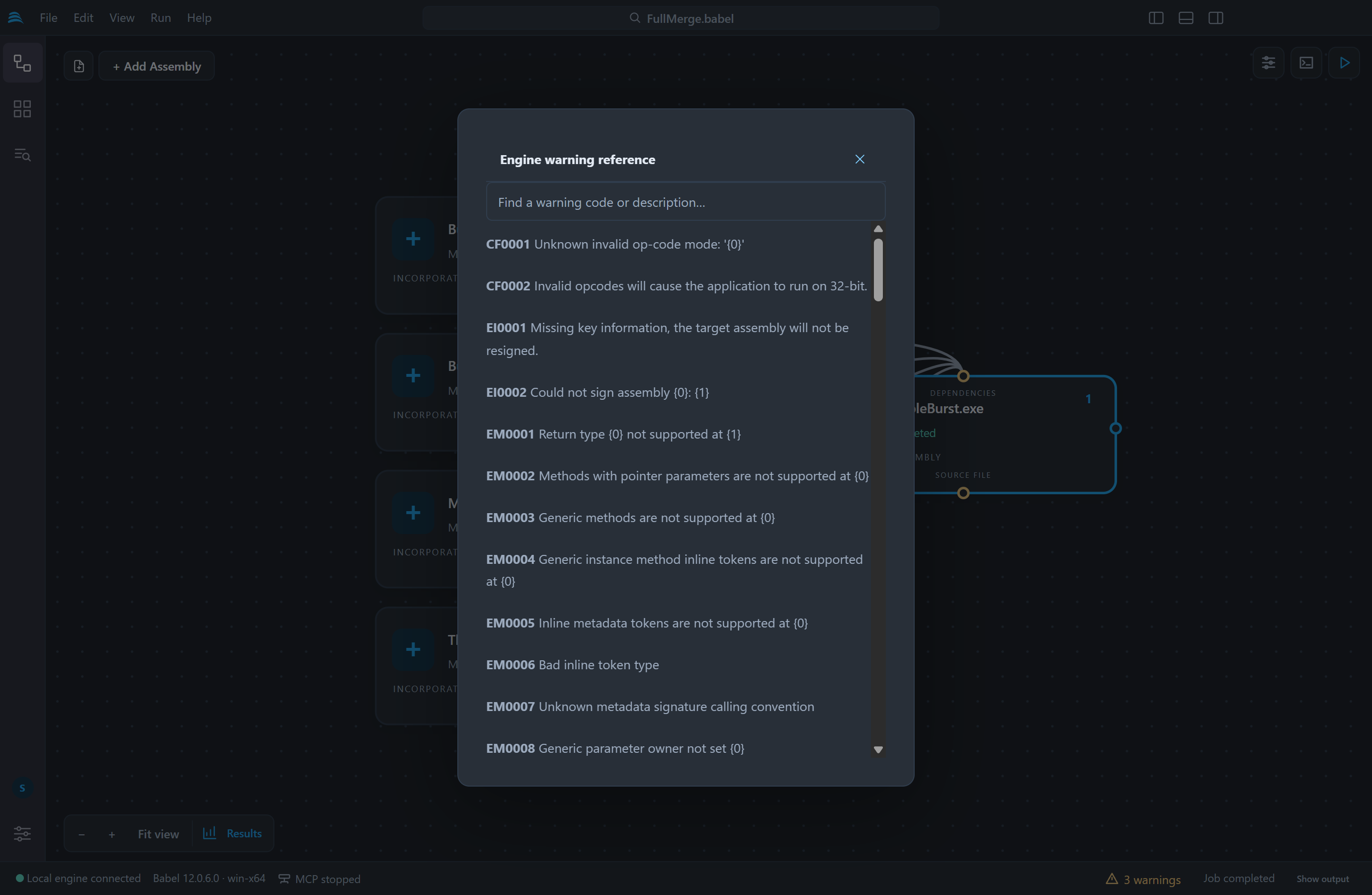
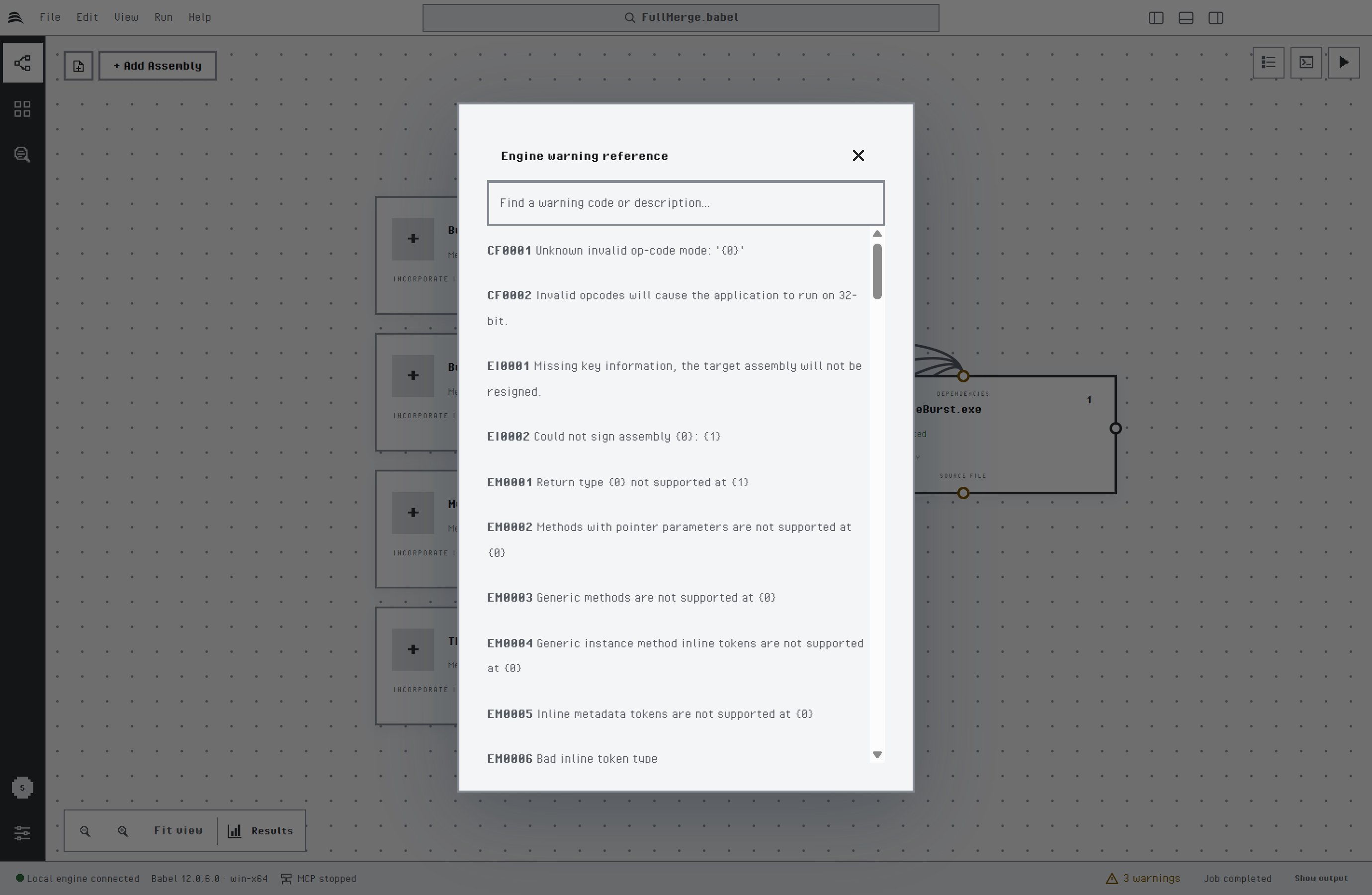
The engine warning reference
Run Results
After a run, the Run results button on the canvas toolbar opens the protection statistics. Choose a run from the history, an obfuscated assembly and a report:
| Report | Content |
|---|---|
| Renaming | Renamed and total types, methods, fields, properties and events, with a coverage chart |
| Control Flow | Scrambled methods, inserted branch instructions and iterations, with a treemap by namespace and type and, when full statistics are collected, the cyclomatic complexity before and after the transformation |
| String Encryption | The encryption algorithm and the encrypted strings by method |
| Code Encryption | The encrypted methods by namespace and type |
| Dynamic Proxy | The proxied calls and delegate types by target method |
| Optimizations | Dead code removal and optimization counters |
| Execution Time | The duration of each engine phase |
You can search and sort the tables, and drill down in the treemaps from namespace to type. Show output, Show engine log and Show statistics data open the output folder, the complete engine log and the raw statistics file of the run. Babel Desktop keeps the results of the last 30 runs.
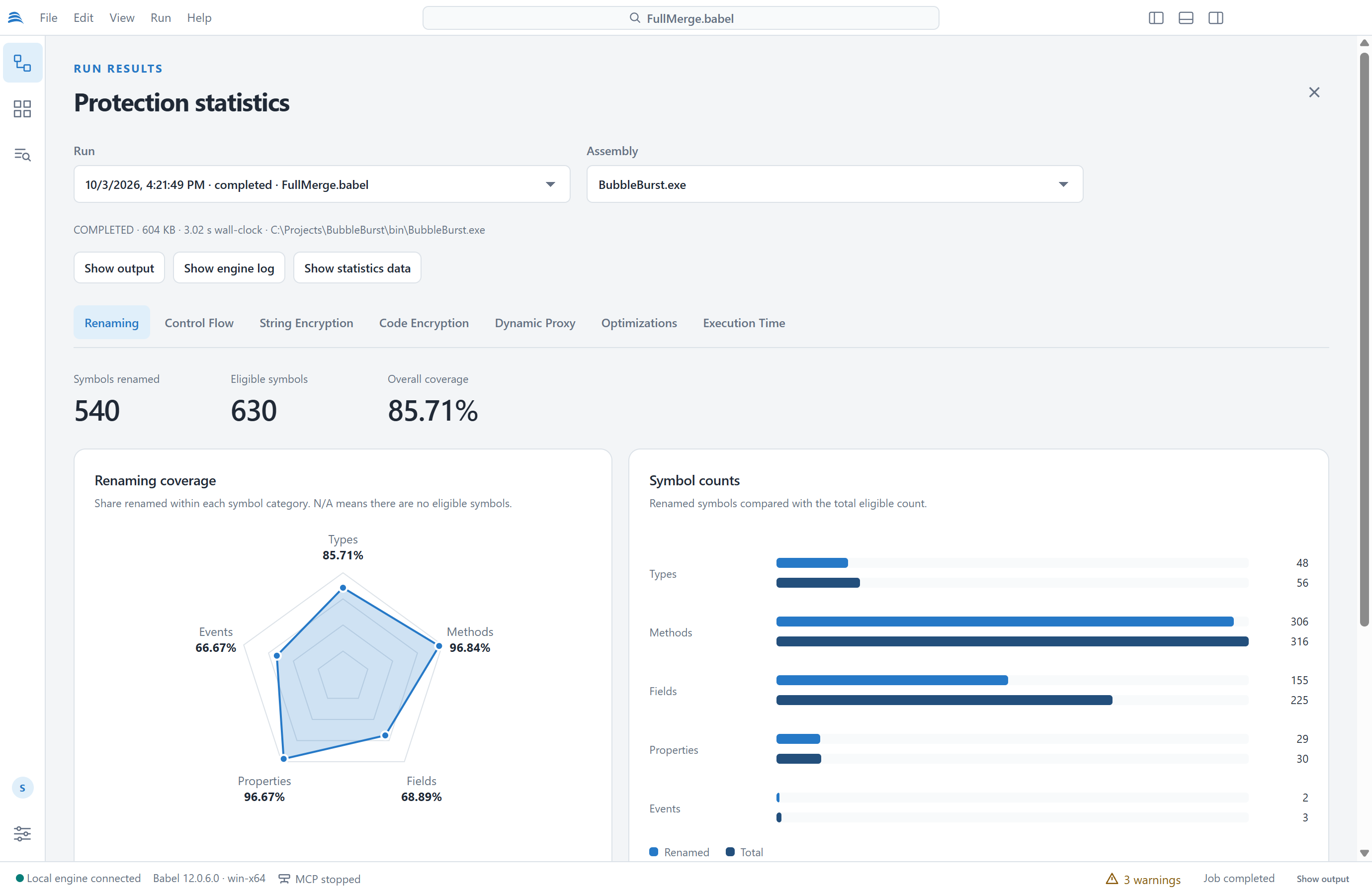
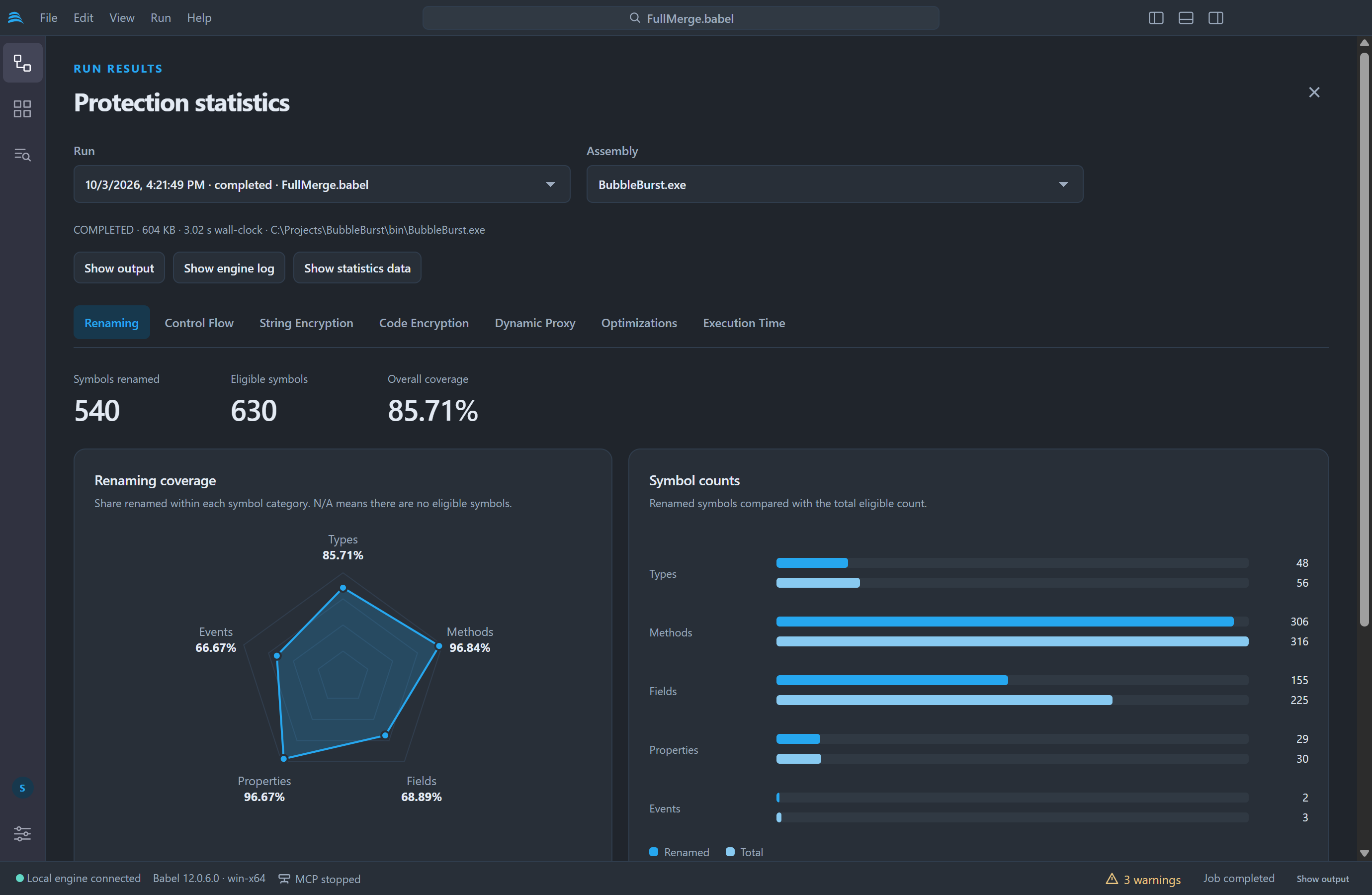
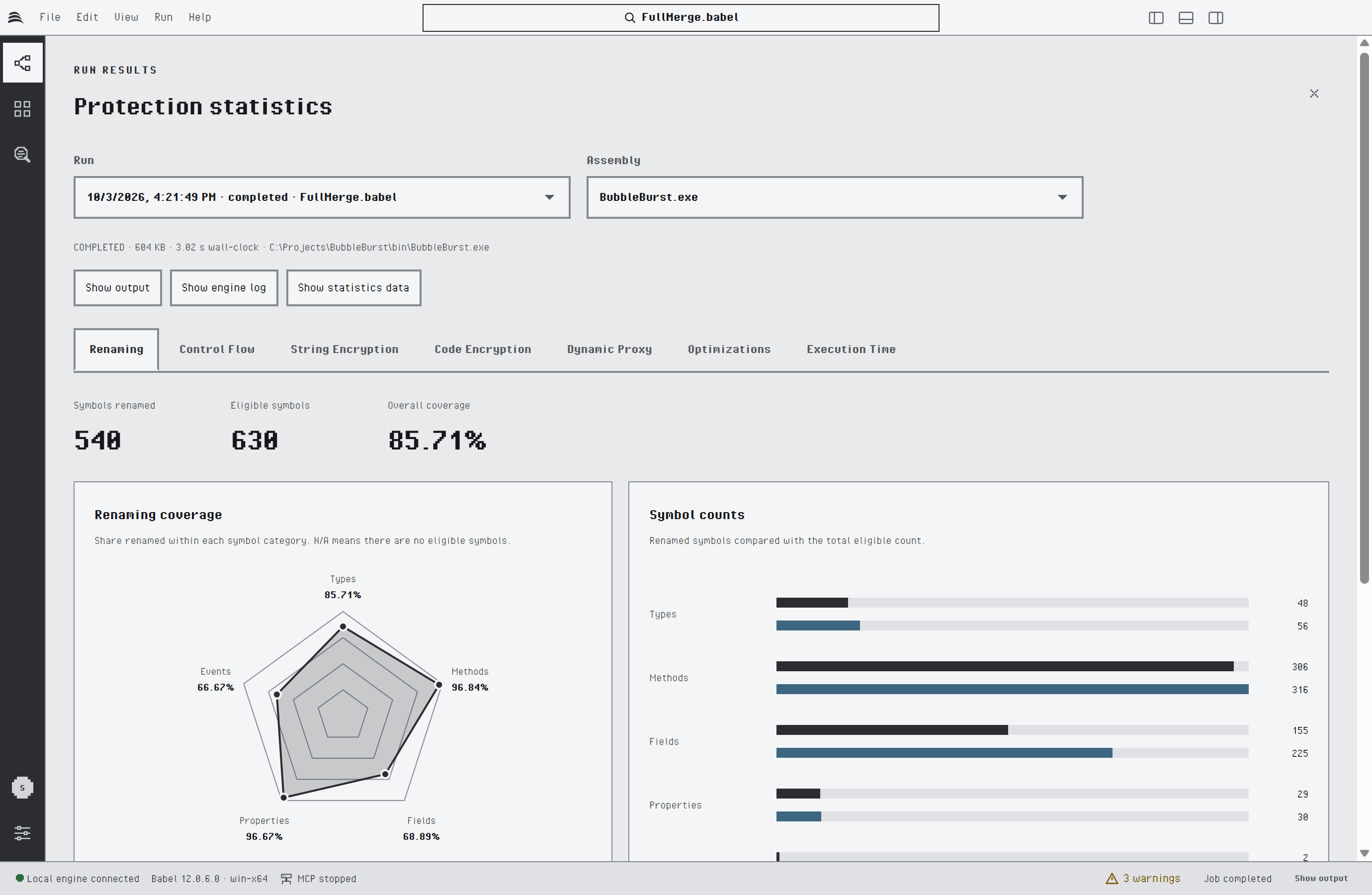
Renaming statistics
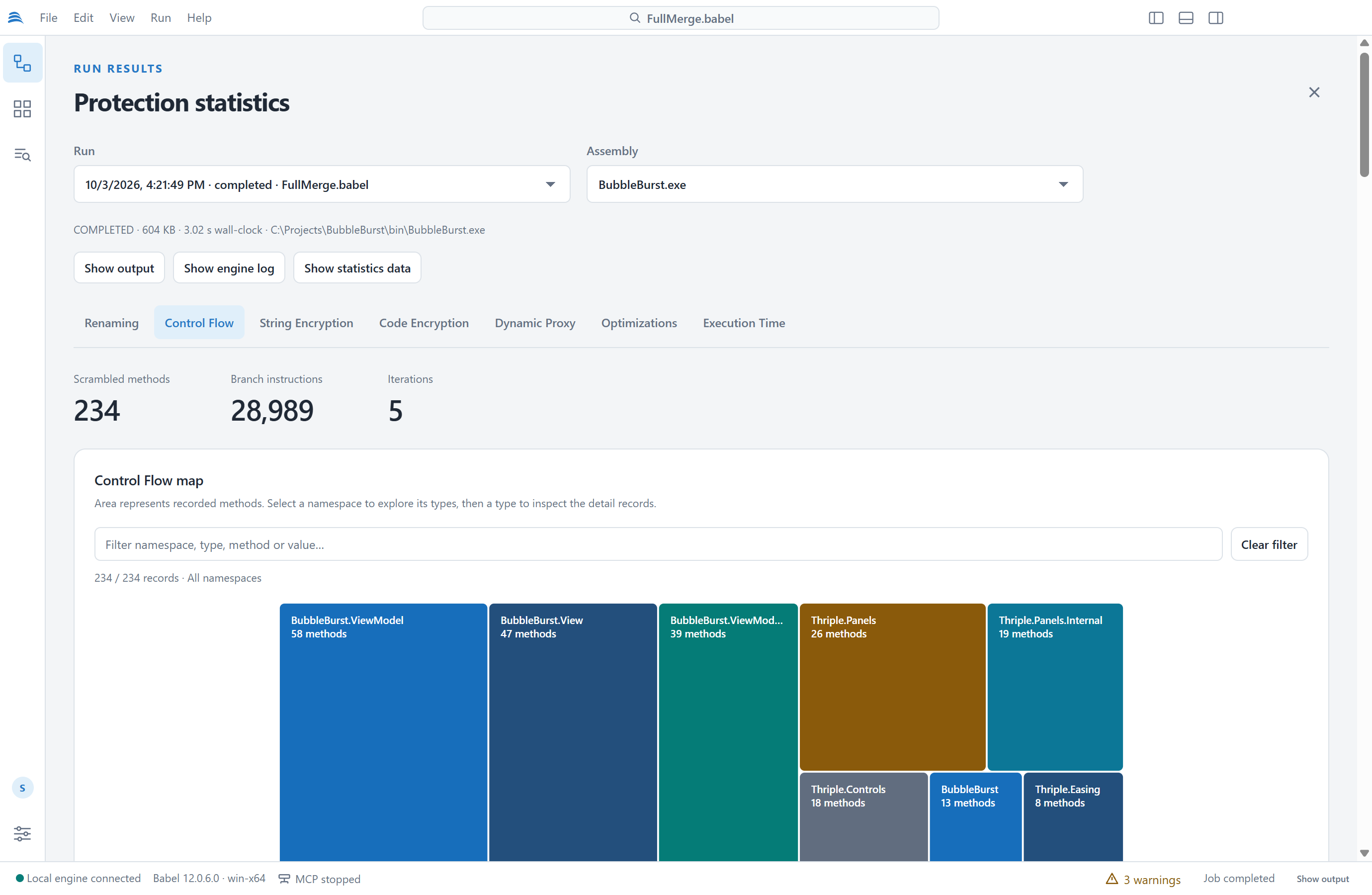
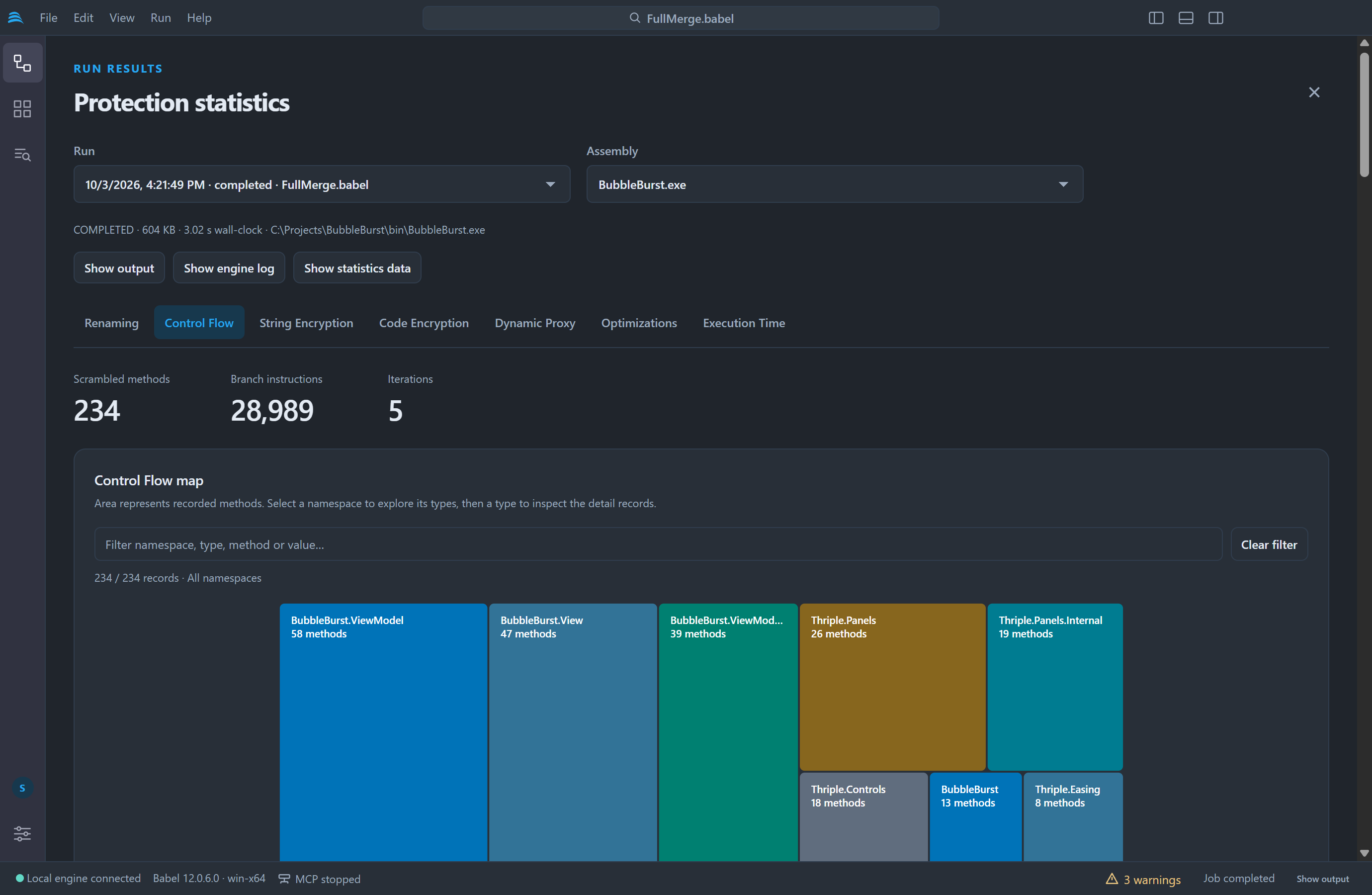
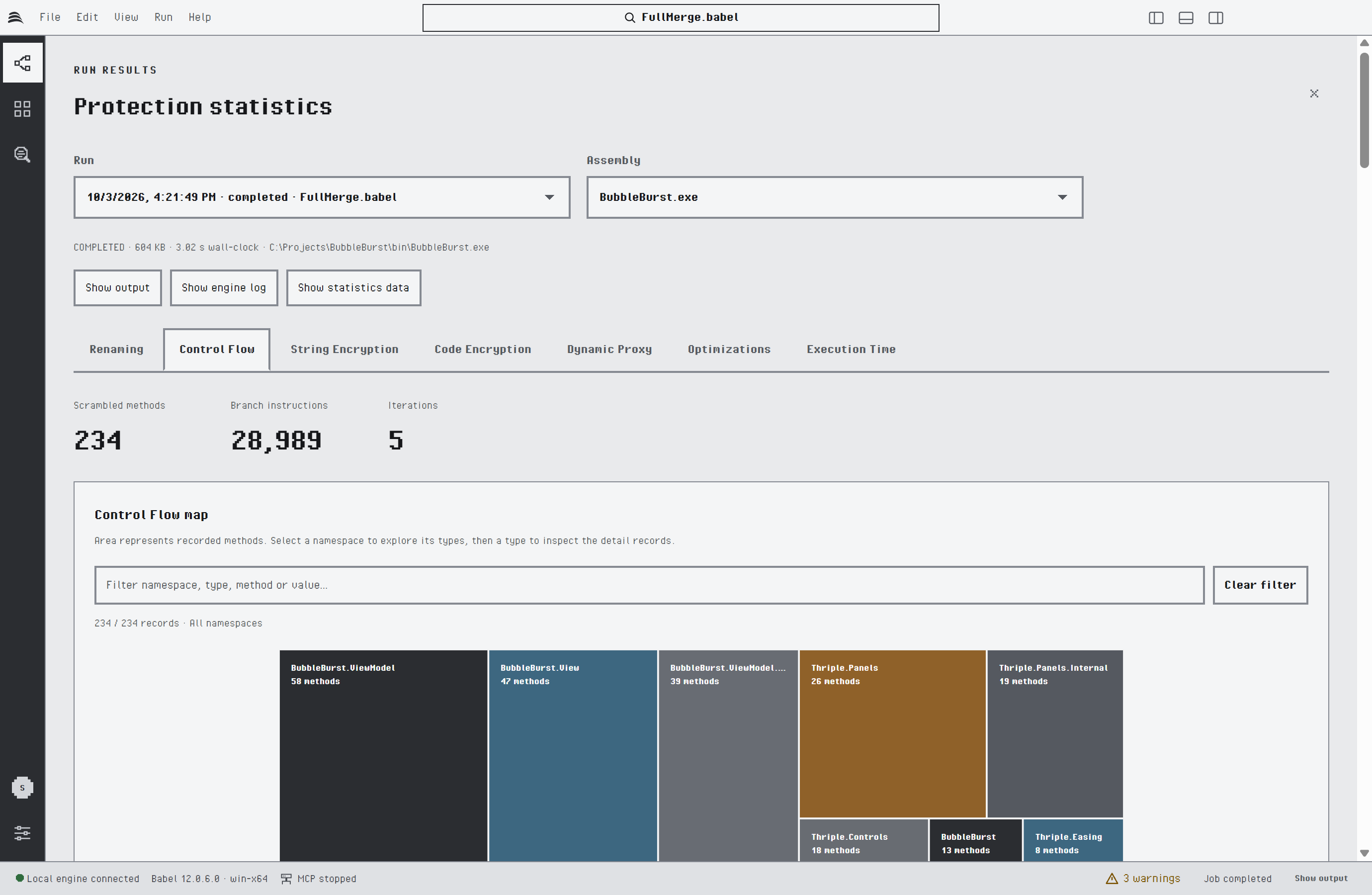
Control Flow statistics
The statistics files contain original symbol names and string values. Keep them, like the XML map files, away from the distributed application.
Decoding Stack Traces
To translate the obfuscated stack traces of a protected application back to the original names with its XML map files, use the Stack Decoder.