Product Activation
The engine in Babel Desktop uses the Babel license you load in Settings > License. With no license loaded, the engine runs in evaluation mode and an Evaluation banner on the canvas lists the restrictions.
License requirements
| License edition | Supported platforms |
|---|---|
| Enterprise | Windows |
| Ultimate or higher | Windows, macOS, Linux |
A demo license can be used for evaluation. Licensing management also requires the appropriate Babel Licensing Server or Data Center entitlement.
Open the License settings
Open Settings (Ctrl+, on Windows and Linux, Cmd+, on macOS) and choose License.
Choose the license source
Select how the engine obtains its license:
- License file: click Browse… and select your
babel.licensesfile. Babel Desktop remembers the path and reloads the file each time it starts. - Activation key: enter the activation key and click Activate. The activation is saved on the machine and restored on each start. Deactivate releases it.
- Floating license: enter the floating license key and click Request license. The license is checked out from the license server for the session and returned when the application exits. Tick Request automatically at startup to request it at every start.
Check the license
The Current license badge shows the edition of the loaded license, and the details list its license id, product, version and maintenance.
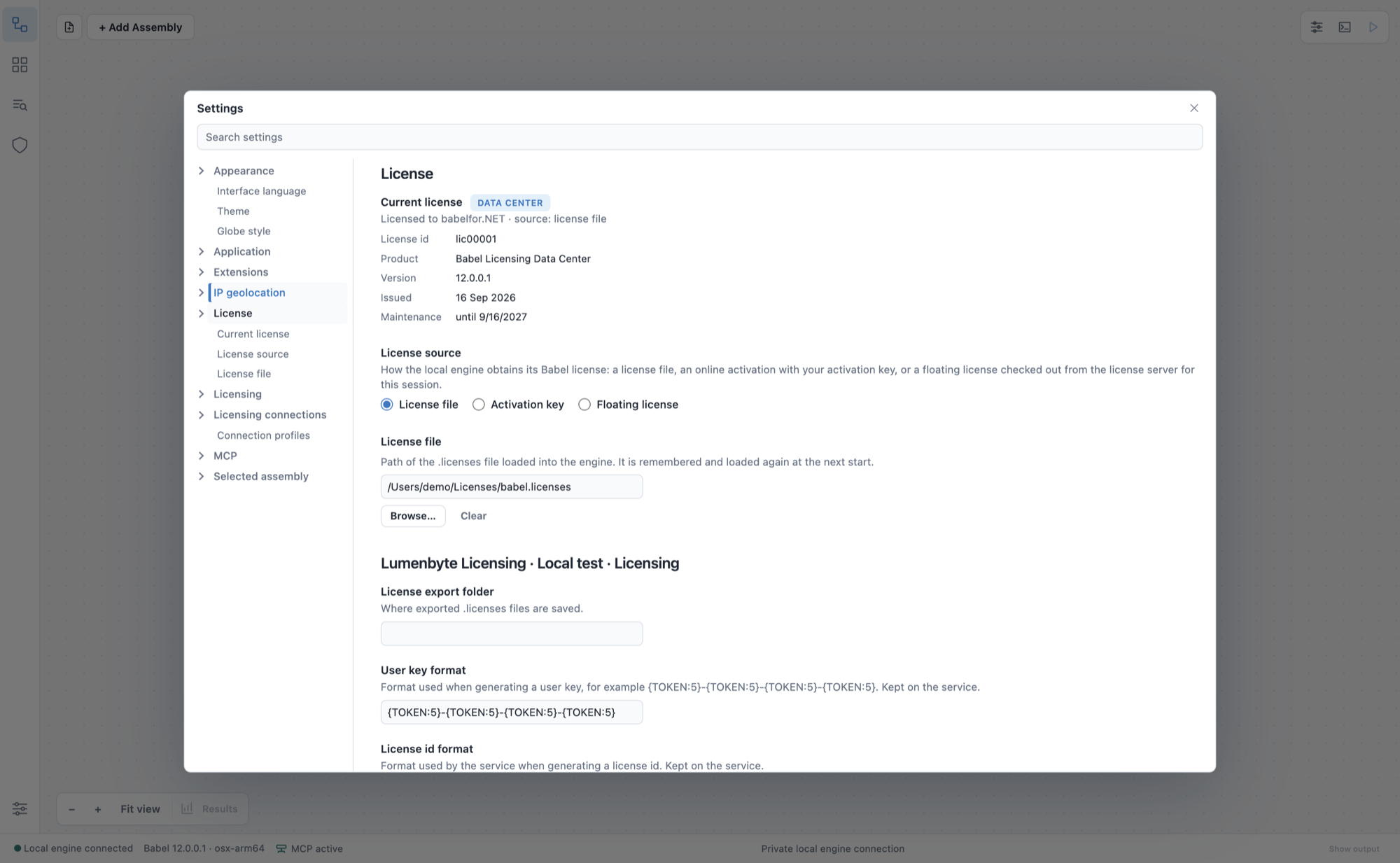
Settings > License, with the Licensing extension settings below
You receive the license file, activation key or floating license key when you buy Babel. The command line tool and the MSBuild task accept the same license; see Product Activation for those tools and for build servers.
The table shows what each license enables in Babel Desktop:
| Capability | Requirement |
|---|---|
| Obfuscation projects and tools on Windows | Enterprise or higher |
| Obfuscation projects and tools on macOS and Linux | Ultimate or higher |
| Licensing | A Babel Licensing license (Server or Data Center edition), or an unlicensed installation in evaluation mode |
| Automatic updates on Windows | Any valid license, within its maintenance period |
| Automatic updates on macOS and Linux | An Ultimate edition or demo license, within its maintenance period |
Troubleshooting
- If the Current license badge still shows Evaluation after you load a license file, check that the file is the
babel.licensesyou received for this version. A license unlocks the versions released while its maintenance is active, but not versions released after the maintenance expired. - An activation key is bound to the machine where it was activated. To move it to another machine, click Deactivate on the old machine first.
- A floating license needs the license server to be reachable when the license is requested. If the request fails, check the network connection to the server and that a license token is available.