Integrity Encryption Ultimate
Integrity Encryption binds Babel’s built-in String Encryption and Code (MSIL) Encryption to the exact assembly file Babel produced. A string or method encrypted this way decrypts correctly only when the application runs from that unmodified file; on any other copy — a patched binary, a byte edited in a hex editor, a file merged with a different build — decryption fails, so the protected strings and methods never come back right.
Without it, string and MSIL encryption protect the content of what they hide, but the decryptor itself works the same no matter which file it ends up in: a method or string pulled out of your assembly and dropped into another one still decrypts normally there. Integrity Encryption closes that gap by tying decryption to the shipped file itself, so moving the protected data anywhere else is enough to break it, without you writing or maintaining any detection code.
Integrity Encryption is a different safeguard from Tampering Detection. Tampering Detection reacts: it checks the loaded image and lets you run custom code — log the event, show a message, exit — when it does not match. Integrity Encryption does not react at all; it simply makes the encrypted data unusable outside the file it was built into. The two combine well: Tampering Detection for a visible response, Integrity Encryption so there is nothing to recover even without one.
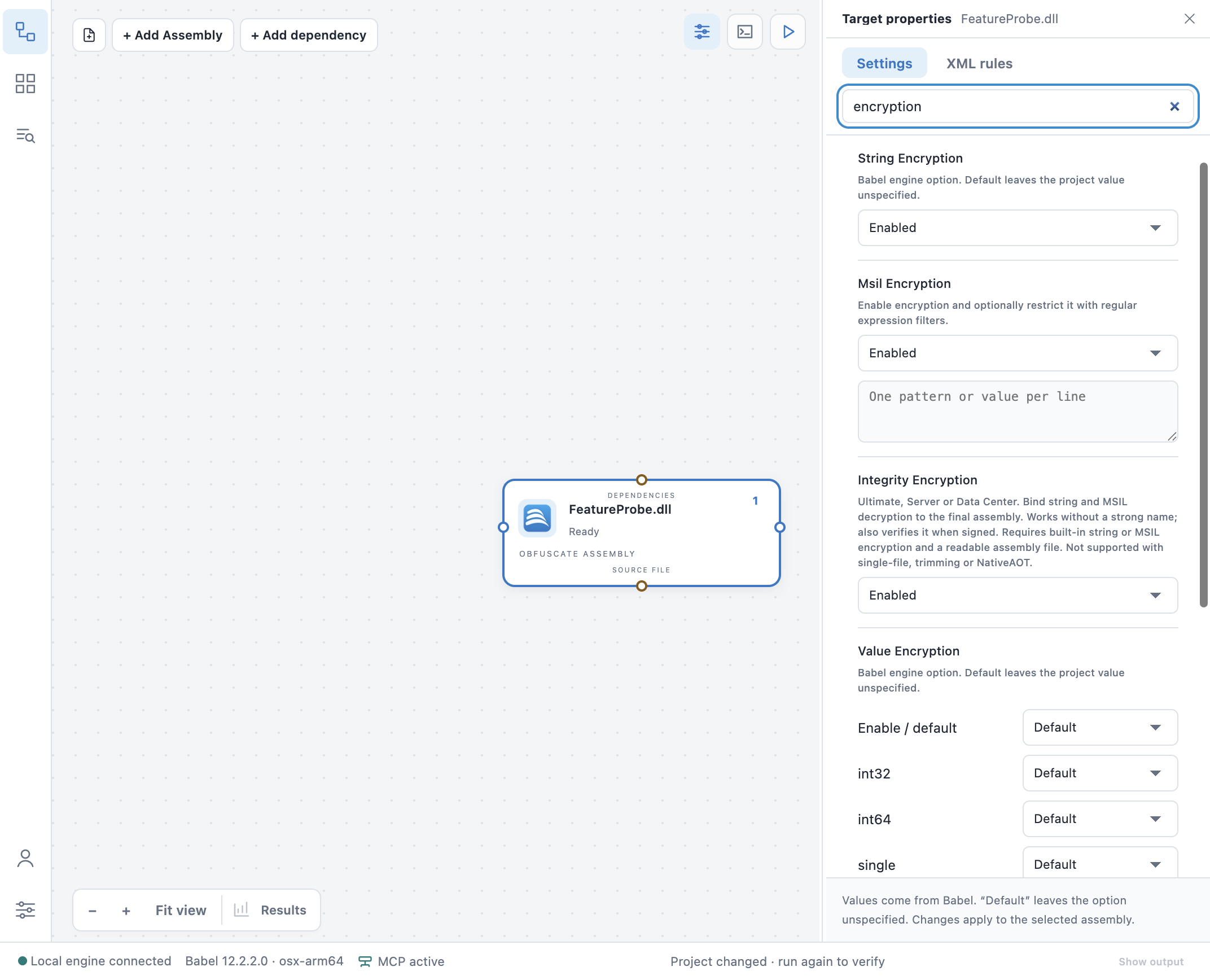
Integrity Encryption sits next to String and MSIL Encryption in Babel Desktop’s target properties
Requirements
- String Encryption or Code Encryption must already be enabled on the target. Integrity Encryption has nothing of its own to protect — it only binds the decryption of whichever one (or both) you have turned on. Enabling it with neither on does nothing.
- Desktop .NET Framework 4+ or .NET/Core assemblies only — a file-backed, loadable PE image. It is not supported with single-file publishing, trimming, or NativeAOT: those publishing modes do not keep the assembly as a plain file Babel can bind to.
- The assembly does not need a strong name; if it already has one, Babel also verifies the strong-name signature as part of the same check.
- Besides the Obfuscator Ultimate edition, it is also included with Babel Licensing’s Server and Data Center editions, which carry Obfuscator Ultimate.
Enabling Integrity Encryption
Command Line
babel myapp.exe --integrityencryption --stringencryption trueMSBuild Babel Task
<PropertyGroup>
  <IntegrityEncryption>true</IntegrityEncryption>
  <StringEncryption>true</StringEncryption>
</PropertyGroup>

<Babel IntegrityEncryption="$(IntegrityEncryption)" StringEncryption="$(StringEncryption)" />
Babel Desktop
Turn on Integrity Encryption next to String Encryption or MSIL Encryption in the target’s option list. Babel Desktop flags the setting if neither encryption is active yet, since there would be nothing for it to bind.
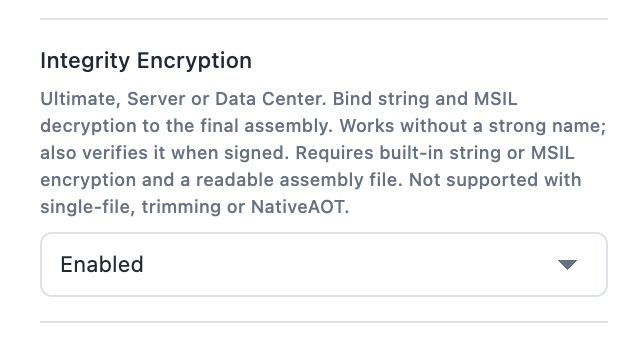
The setting’s help text repeats its requirements and edition
Example
A target that already encrypts a sensitive namespace with MSIL Encryption, with Integrity Encryption added to bind it:
<PropertyGroup>
  <MsilEncryption>true</MsilEncryption>
  <IntegrityEncryption>true</IntegrityEncryption>
</PropertyGroup>

<Babel MsilEncryption="$(MsilEncryption)" IntegrityEncryption="$(IntegrityEncryption)">
  <XmlRules>
    <Rules>
      <Rule name="encrypt-licensing" feature="msil encryption" exclude="false">
        <Target>Methods</Target>
        <Pattern>ACME.Licensing.*::*</Pattern>
      </Rule>
    </Rules>
  </XmlRules>
</Babel>
The rule selects which methods MSIL Encryption protects — Integrity Encryption does not change that
selection, it only ties the result to this build’s output file. Methods are selected the same way with
or without it: a regular-expression or wildcard filter in MsilEncryption itself, or an XML rule like
the one above with feature="msil encryption". With neither a filter nor a matching rule, MsilEncryption
enables the feature but selects nothing, so Integrity Encryption has nothing to bind either.
Keep in mind
- It is additive: turning it on does not change which strings or methods are encrypted, only how their decryption is tied to the shipped file.
- A build that already fails Tampering Detection’s single-file/trim/AOT limitation will also skip Integrity Encryption for the same reason — both need the assembly as a plain loadable file.
- Rebuilding, re-signing, or re-merging the assembly after obfuscation invalidates the binding, the same way it would invalidate a tampering-detection hash: apply Integrity Encryption as part of the Babel build step that produces the file you ship, not before a later step changes it.
See also
- String Encryption and Code (MSIL) Encryption — the two protections Integrity Encryption binds.
- Tampering Detection — a reacting safeguard that pairs well with it.
- XML Rules — selecting which methods MSIL Encryption protects with
feature="msil encryption".