Dashboard Data Center
The Dashboard combines licensing, sales and service information in widgets. Layout borders and remove controls appear only while editing.
Edit your layout
Choose Edit layout, then Add Widget. Items have an icon, title and description. Drag a widget by its header; its close icon removes it. Reset clears the layout. Done returns to the normal view. Layout and dates are retained for this account in this browser.
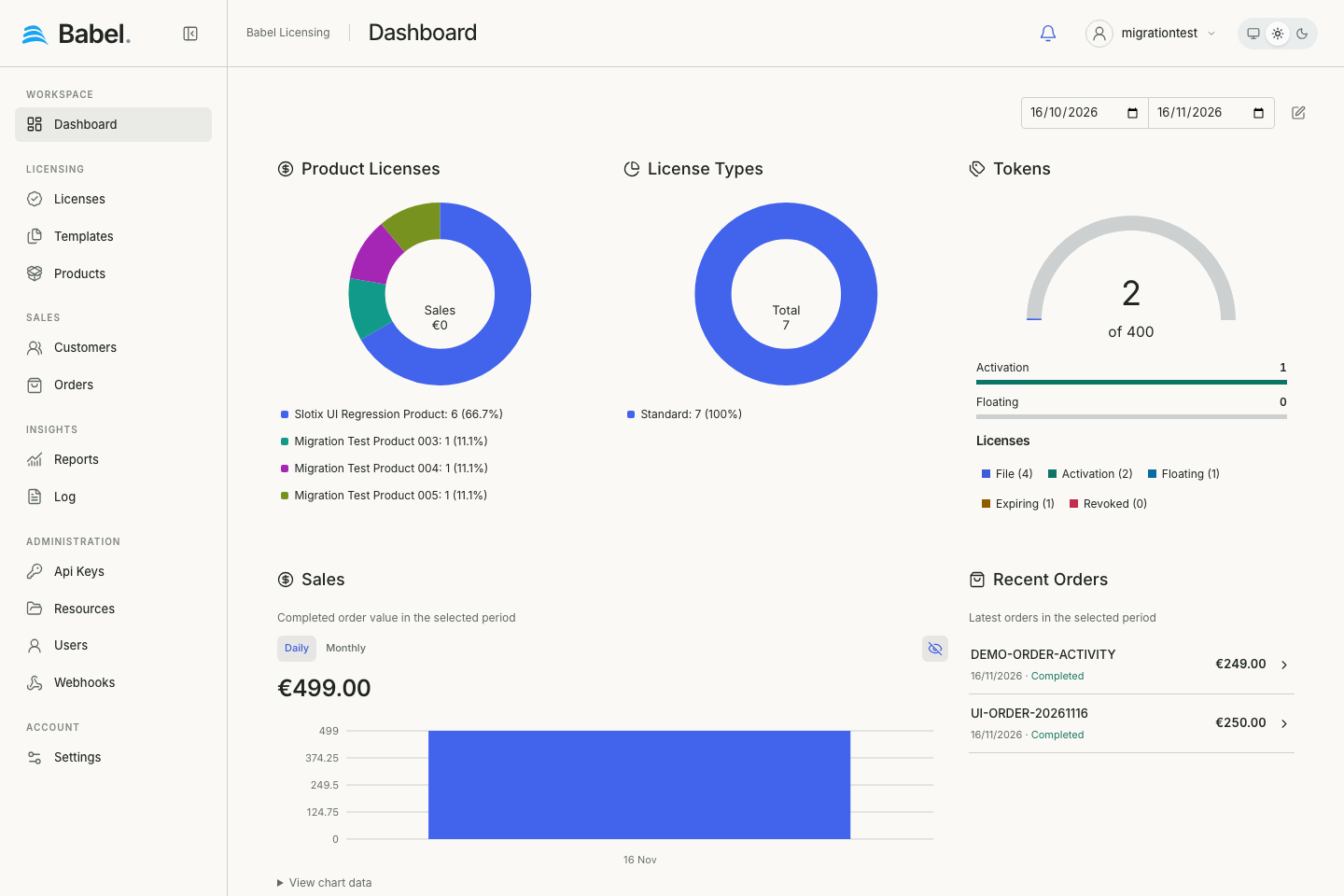
Updated web interface with fictional demonstration data. Screenshots use English labels.
Available widgets
The menu offers widgets allowed by your role:
- Licenses Map: activity traces with geographic coordinates.
- Product Licenses: licence counts grouped by product, not revenue.
- License Types: licence counts grouped by type.
- Server: service information and log-level summary.
- Tokens: capacity, usage and licence-status counters.
- Sales: completed order totals by currency and day or month; currencies stay separate.
- Recent Orders: recent orders with value, status and editor links.
- Expiring Licenses: licence/support deadlines in the next 30 days, excluding revoked licences.
Dates and refresh
The compact date range filters period-based widgets. Expiring Licenses uses the upcoming 30 days instead. Changing dates reloads affected data. Widgets have loading, empty and error states. Chart palettes follow the theme; legends retain long product names.
If the map is empty
The map needs activity with latitude/longitude within the selected period. Customer addresses do not create markers; localhost events can lack geolocation. Check dates and activity records. Zoom and pan within the map; widgets do not require an inner scrollbar.
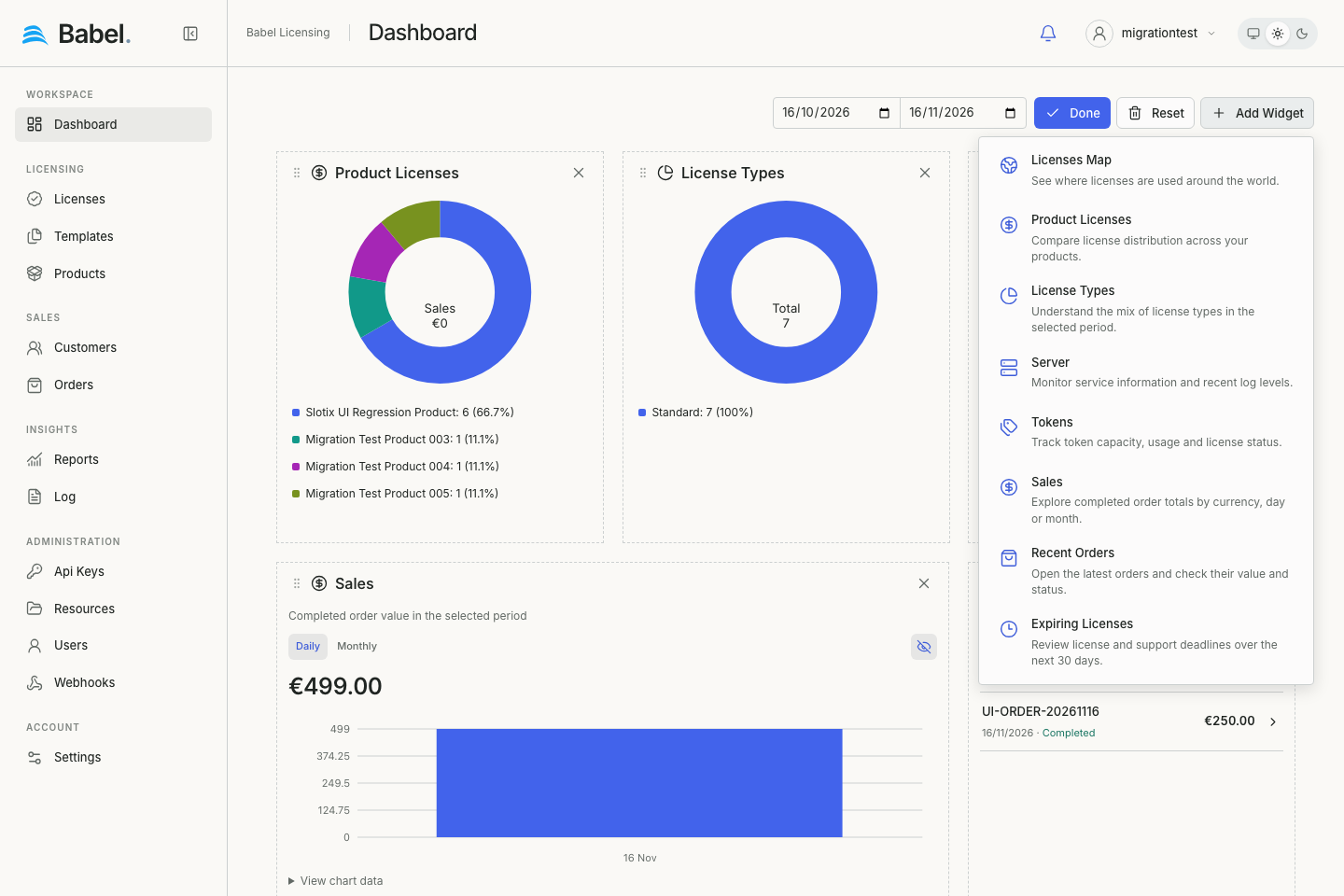
Updated web interface with fictional demonstration data. Screenshots use English labels.