Working with Records Data Center
Licenses, Orders, Customers, Products and the other record lists share compact tables and editors. The page title appears in the application header. Available pages and actions depend on your account’s roles.
Preview of the redesigned interface: these pages and screenshots cover the updated Data Center web application. Previously downloaded service packages may still show the earlier interface; the new controls and optional 2FA require a service build that includes this update.
Search and filters
Use Search above the table to find records. Open Filters to add conditions by field and operator. All conditions combines them with AND; Any condition uses OR; Exclude negates a group. Nested groups combine these rules. Clear filters removes the conditions. Refresh reloads data without clearing filters.
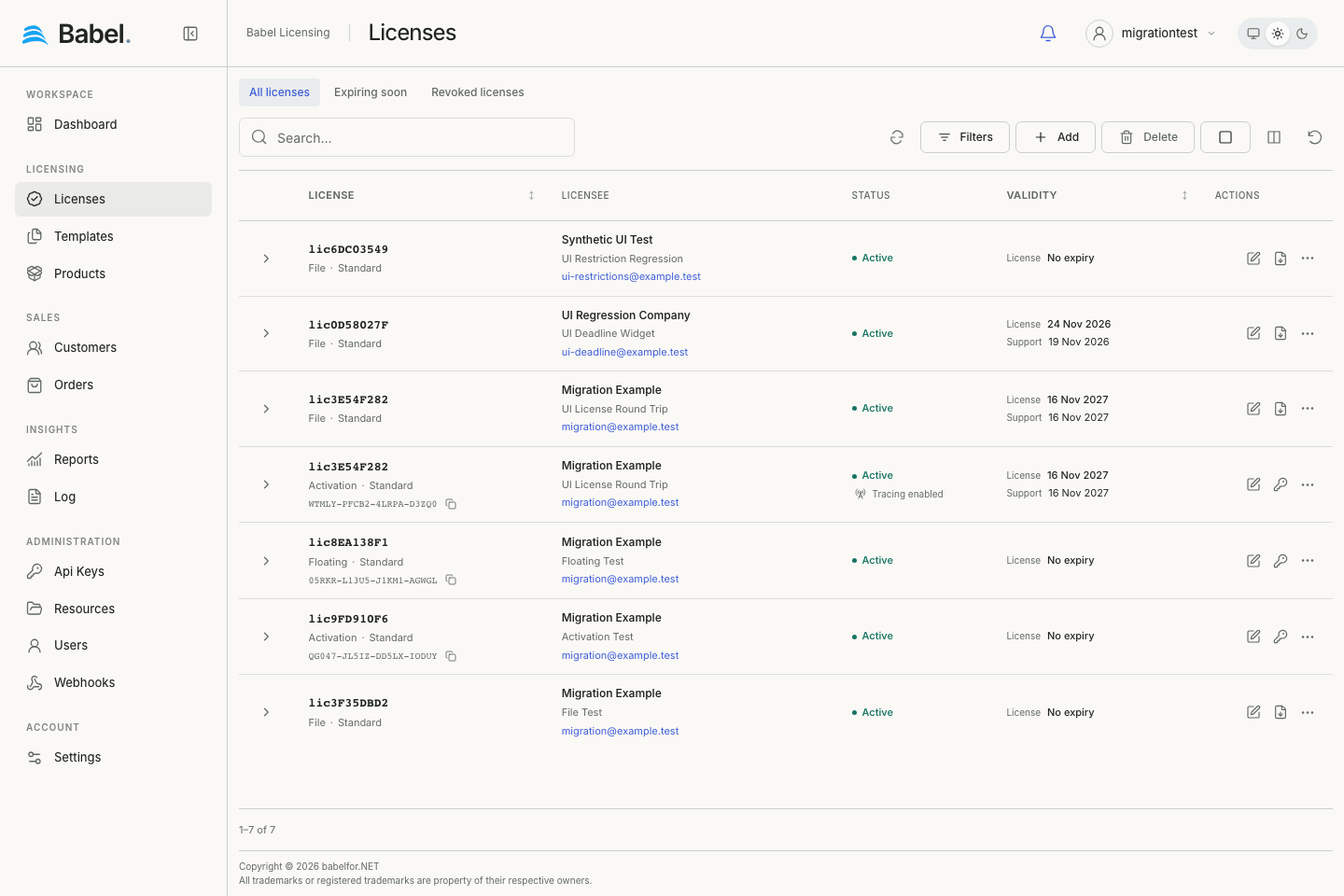
Updated web interface with fictional demonstration data. Screenshots use English labels.
Columns and groups
Use Columns to choose visible columns, change their order or group by a supported field. Click a column heading to sort. Group headings show display values and counts for the loaded group. Reset view restores the declared column layout. Preferences are stored for the account in this browser.
Loading and selection
Lists load further batches as you scroll; Load more is a fallback. The footer shows how many records are loaded. Select loaded records selects the records already loaded, not every matching record on the server. Group counts also refer to loaded records.
Details and editors
Use the row chevron to expand read-only details. The pencil opens a separate compact editor with sections for related fields. Save persists changes; Cancel leaves the editor. Deletion requires confirmation.
Searchable record selectors
Customer, Product, Template, signing-key and owner fields open searchable lists with names and identifying details. Type to search the full eligible directory and scroll for more matches. Arrows and Enter select; Escape closes. The inline clear icon removes a selection. Product multi-select fields keep their selected tags.