Stack Decoder
A stack trace from an obfuscated application shows obfuscated names. The stack decoder maps them back to the original names using the XML map files produced by the obfuscation. Enable map file generation (GenerateMapOutFile in the Output & diagnostics group) for the assemblies whose stack traces you want to decode.
Open the stack decoder
Click the stack decoder icon in the activity bar, press Ctrl+Shift+D (Cmd+Shift+D on macOS) or run Tools: Stack decoder.
Add the map files
Click Add map files… and select one or more map files, or drag them onto the panel. If the map files were produced with a password, enter it in Map password.
Paste the trace
Paste the obfuscated stack trace into Obfuscated trace, or load it from a file with Open trace….
Decode
Click Decode. The result appears in Decoded trace; Save decoded trace… writes it to a file.
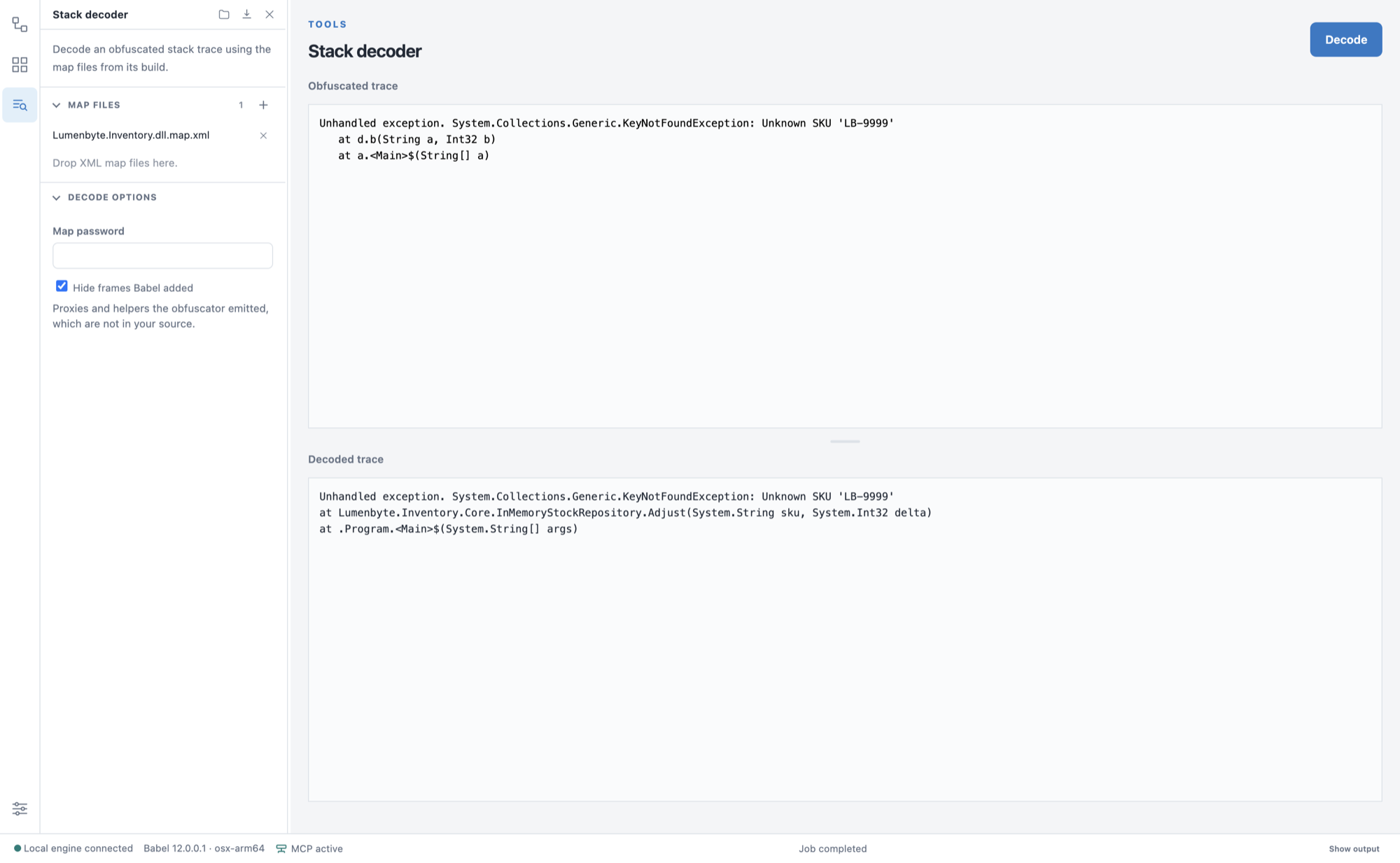
Decoding a stack trace with its map file
Hide frames Babel added removes the bridge frames that Dynamic Proxy generates, so only your own call chain is left. Clear the check box to keep all frames; each proxy frame is then labeled with the method it stands in for.
- When overloaded renaming is enabled, several methods can share one obfuscated name. In that case the decoder lists every original method that could match under the obfuscated frame. Disable overloaded renaming if you need an unambiguous mapping.
- With Unicode renaming, obfuscated names contain unprintable characters. To avoid losing characters, save the obfuscated trace to a UTF-8 text file and load it with Open trace….
- If the application was obfuscated with encrypted PDB file names, the decoded trace shows the original source file names; see Using PDB Files.
XML map files reveal the original names of your code. Store them securely and never distribute them with the application.
For decoding from the command line or in an automated pipeline, see Decoding Stack Traces. Stack traces contained in exception reports collected by a Babel Licensing Service can be decoded in the Reports view.